

Globe view
Open the scan map as a 3D globe, watch scans arrive, and save a picture of your reach to share.
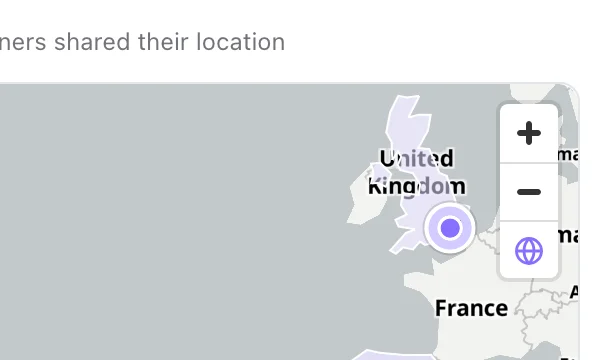
On Scans by Location, the globe button under the zoom buttons opens the map as a 3D globe that fills the screen. It is on the Overview and Realtime tabs, and on KuikPages analytics, where it counts views.
What the globe shows
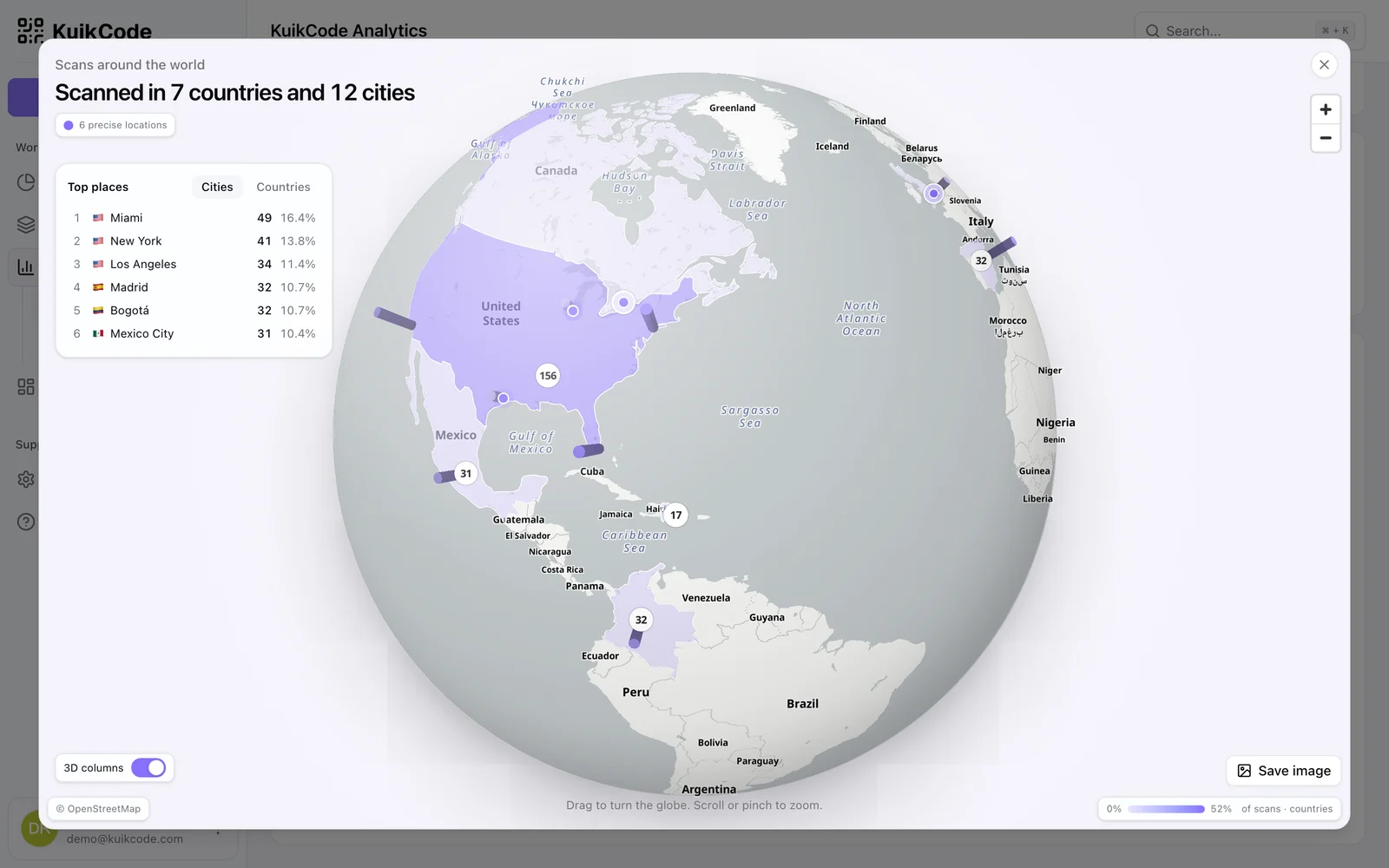
- The same map as the card: shaded countries and states, count badges, the exact pins scanners shared, and street detail when you zoom in.
- Scanned in 7 countries and 12 cities, for the period you picked.
- Top places: the six busiest Cities or Countries. Click one to fly there.
- 3D columns, one per city, as tall as its share of scans. The 3D columns switch hides them.
- Hover a place to see its scans, its share and its top KuikCode, with the code's picture. The flat map shows the top KuikCode too.
The globe opens on every place your codes were scanned. When they are spread too wide to show on one side, it opens on the side with the most scans. It turns slowly until you take over. Drag to turn it, scroll or pinch to zoom, and press Esc to close. With reduced motion on in your device settings, it stays still.
Live scans
On the Realtime tab, each new scan ripples where it landed, with the KuikCode's name and the city. The globe turns to face it unless you are dragging it.
Save image
Save image, at the bottom right of the globe, makes a picture for social posts:
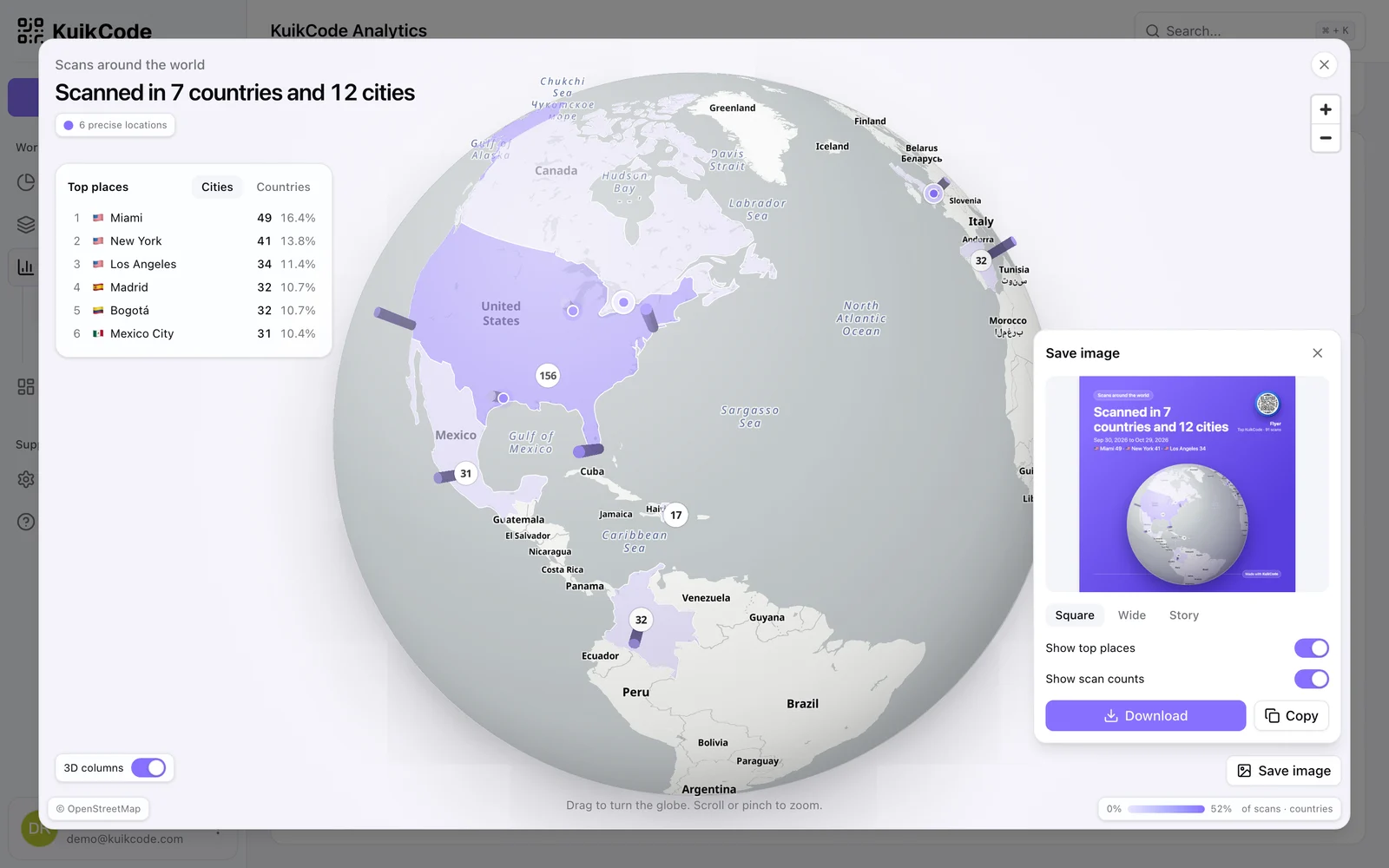
- Square (1080 by 1080), Wide (1200 by 675) or Story (1080 by 1920).
- The globe turned the way you left it (zoomed in on a city, it zooms back out to the whole sphere), the reach headline, the period, the top places and your top KuikCode, or the one the page is filtered to.
- Background: KuikCode purple, your Brand Kit colors, or Custom, a Gradient or Plain color you pick. Text and cards turn dark or light on their own so the picture stays readable. Brand Kit and Custom are included from the PRO plan; try them on any plan, and saving asks for PRO.
- Show top places and Show scan counts switches. Columns appear when the 3D columns switch is on.
- Download the PNG, Copy it, or Share it from your phone.
Every picture carries a small Made with KuikCode badge. Save image is included on every plan, in KuikCode purple.