

Scheduled reports
A summary of your scans in the inbox every day, week or month, optionally with the raw data attached.
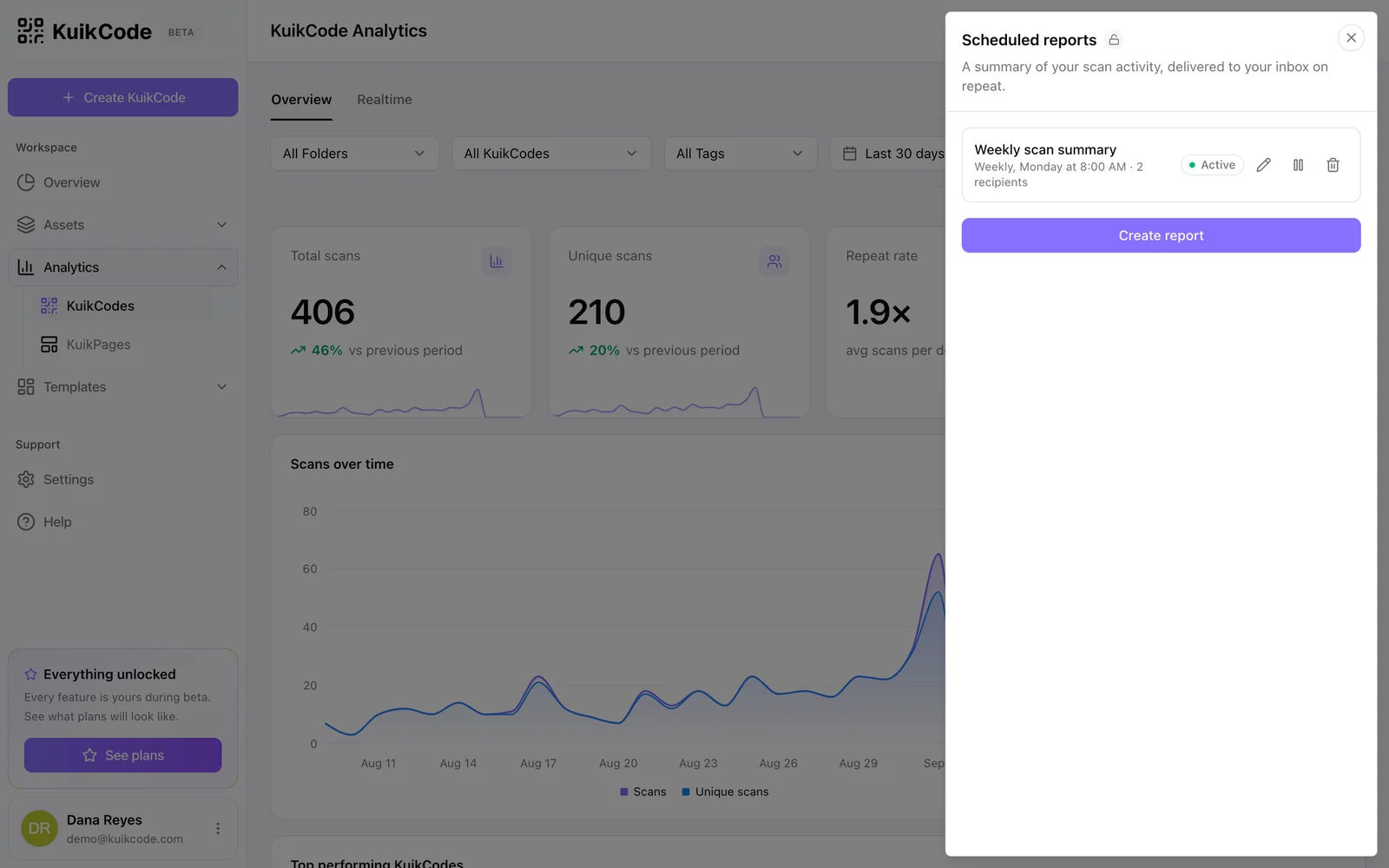
Click Schedule report in the Analytics toolbar. The panel lists your existing schedules, with Active, Paused, Ended and Scheduled badges, and a New report button.
The form
Click Create report (or New report when schedules exist).
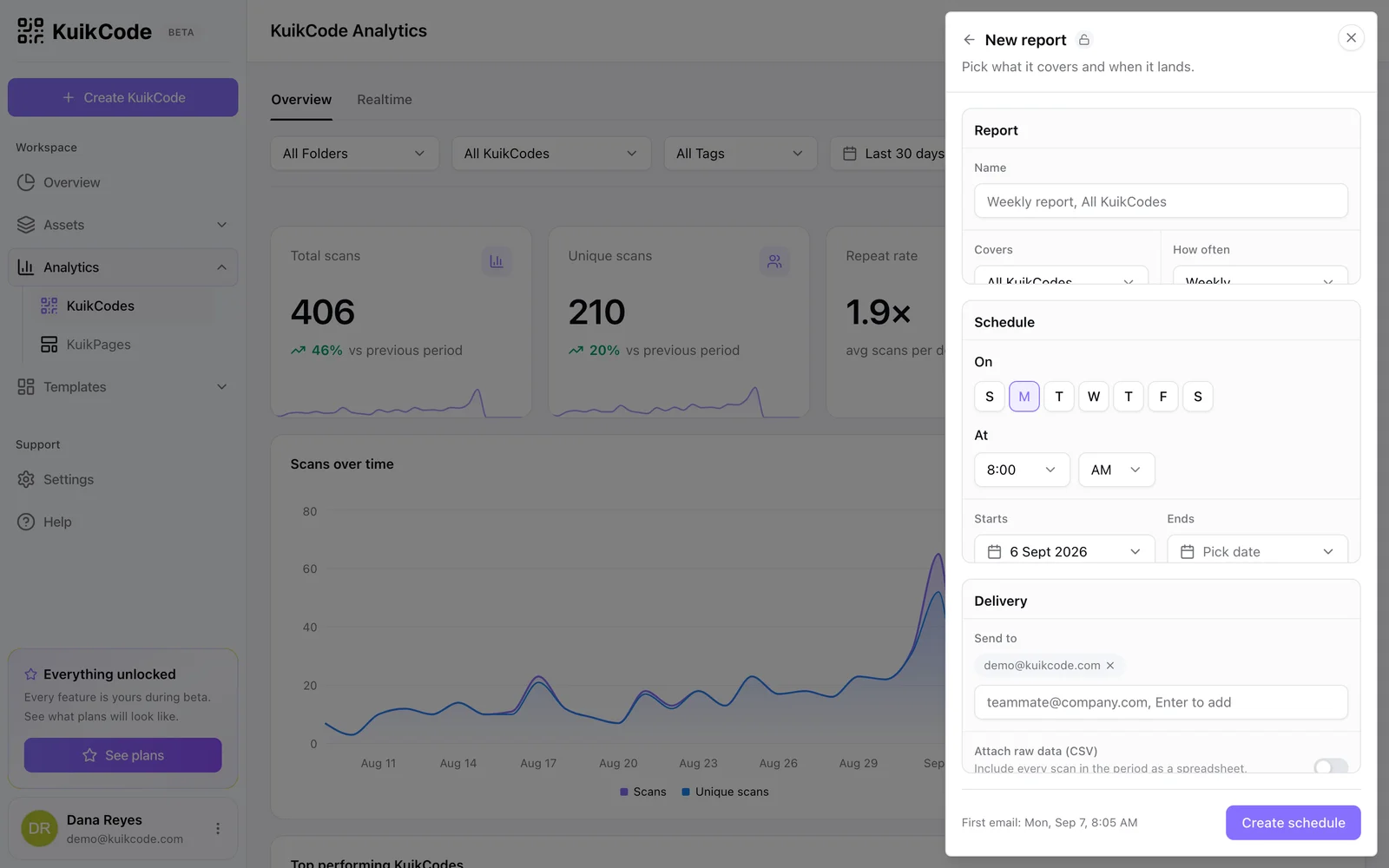
- Report: a Name (the email's subject), what it Covers (All KuikCodes, Specific KuikCodes, up to fifty, or one folder and everything in it; on the KuikPages analytics page, All pages or Specific pages), and How often.
- Schedule: Daily, Weekly with one or more weekdays, or Monthly on a day of the month up to the 28th, so February never skips. At picks the hour; Starts and Ends bound a campaign, both optional.
- Delivery: Send to takes up to five addresses, Enter adds each one; Attach raw data (CSV) includes every scan in the period as a spreadsheet next to the summary.
The footer shows exactly when the first email will go out. Reports are sent in your time zone, at the chosen hour, whatever your offset from UTC. A send that fails at the email provider is retried twice over the following half hour, and a report the system could not send on time is still sent once it can, for the period that was due.
Managing schedules
The panel lists every schedule with its status badge. Edit reopens the form, Pause stops deliveries without losing the schedule, Resume starts them again, Delete removes it. A schedule with an end date shows Ended once it passes. Reports keep sending while the workspace stays on a plan that includes them.
What the email contains
The period's scans and unique scans compared with the previous period, the top five codes, top five countries and top five operating systems, and a landing-page funnel for workspace-wide reports. A daily report covers the last day, weekly the last seven days, monthly the last thirty. Archived codes are left out.
The CSV attachment has the same fourteen columns as the dashboard export and is capped at 10,000 rows.
A workspace can hold up to ten schedules. Scheduled reports are included with the Business plan.