

Authentication
API keys belong to a workspace, carry a read or read-and-write scope, and travel as a bearer token.
Create a key
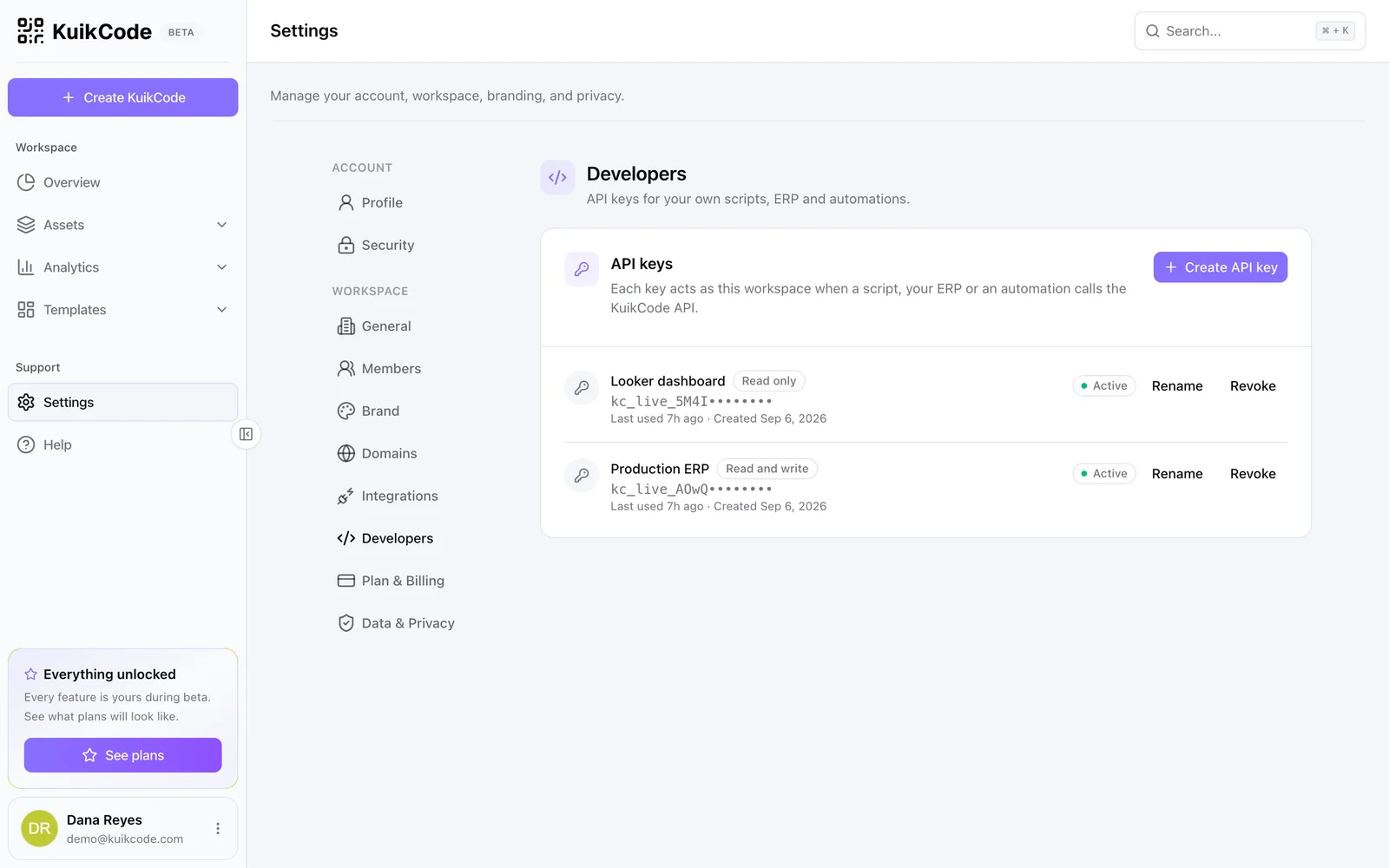
In the dashboard open Settings, Developers and click Create API key. Name it after the system that will use it, pick a scope, and copy the key when it is shown. It is shown once.
- Read keys can call every
GETendpoint. - Read and write keys can also create, change and delete.
Keys are workspace-wide: a key sees every code, folder, page and webhook of the workspace it was created in. Only workspace admins can create and revoke keys. The number of live keys per workspace depends on the plan; GET /me reports the ceiling.
Send it
curl https://api.kuikcode.com/v1/codes \
  -H "Authorization: Bearer kc_live_5Yh2...Qk"
Keys start with kc_live_. Anything else in the header is refused with 401 invalid_api_key.
Keep it secret
Treat a key like a password: server side only, never in a browser or a mobile app, never in a repository. If a key leaks, revoke it in the dashboard; requests with it stop immediately. Keys can be given an expiry date when created; after it, requests fail with 401 expired_api_key.
Plan requirements
The API is included from the PRO plan. If a workspace moves to a plan without API access, its keys stop working with 403 plan_required rather than silently keeping a paid feature alive.