

Set up a GS1 code
Switch on GS1 Digital Link in Step 1, enter the product identifiers, choose where phones land, and print the human-readable line next to the code.
1. Switch the code to GS1 Digital Link
In Step 1 of the editor, switch on GS1 Digital Link at the right of the row above the destination cards (Business). The destination cards change to the ones a GS1 code can carry for phones: Website, KuikPage, Hosted Site, Smart Rules, PDF and Image. Switch it off again while the code is new. Once a code is saved its GS1 mode is fixed, because its scan link format is printed: the switch goes away and a GS1 Digital Link chip beside the Step 1 title names the mode.
2. Identify the product
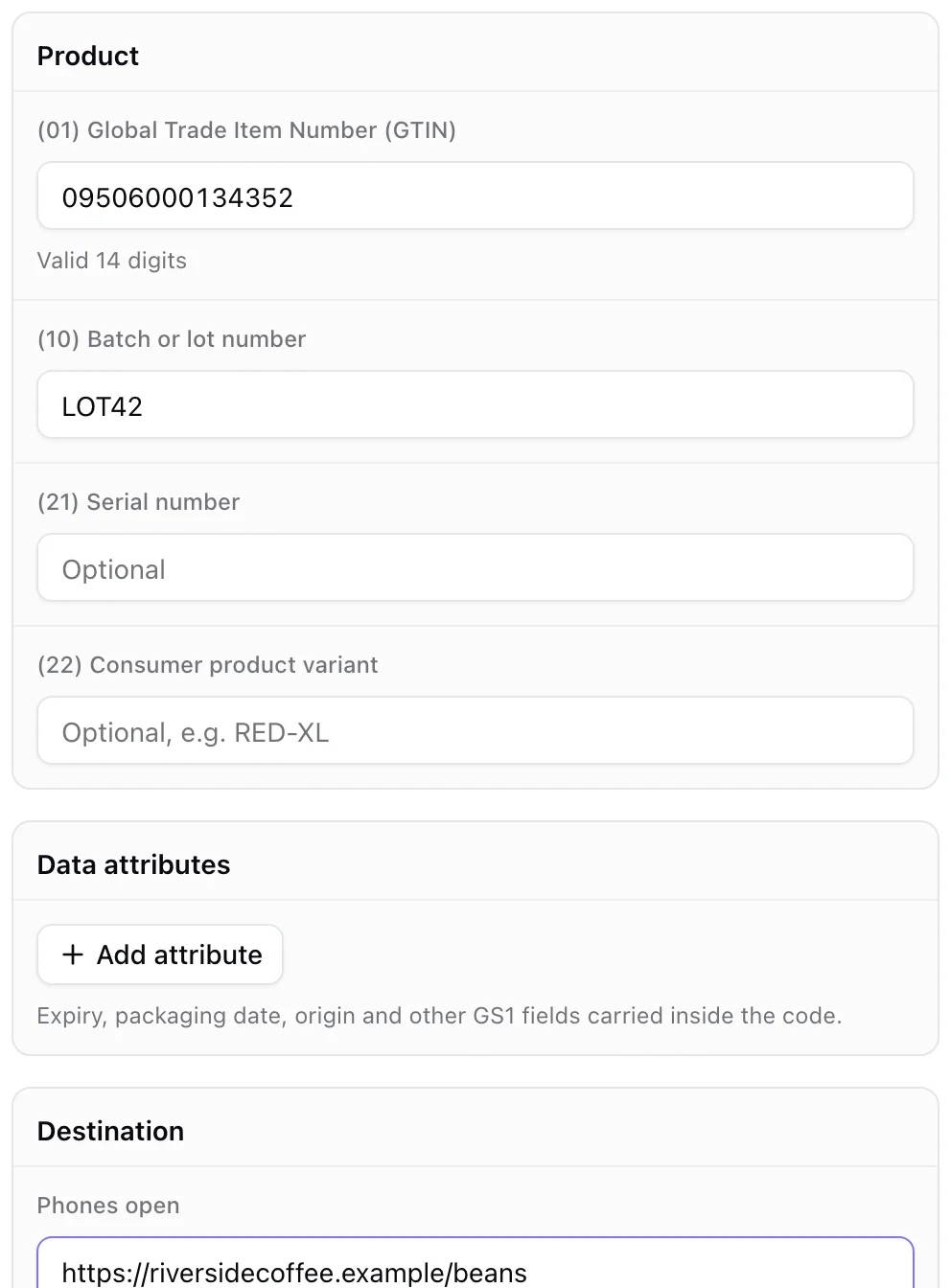
Under Product:
| Field | Notes |
|---|---|
| (01) Global Trade Item Number (GTIN) | 8, 12, 13 or 14 digits. The check digit is verified as you type and the value is stored as a 14-digit GTIN. One code per GTIN per workspace. |
| (10) Batch or lot number | Optional |
| (21) Serial number | Optional, up to 20 characters |
| (22) Consumer product variant | Optional |
Under Data attributes, add any number of GS1 application identifiers: expiration date (17), best before (15), sell by (16), packaging date (13), production date (11), country of origin (422), net weight (3102), count of items (30), or a Custom AI by number. Dates use YYMMDD; values are checked against the character set GS1 allows.
Primary key
GTIN (01) is the supported primary key. Codes keyed by GLN or SSCC are not available yet.
3. Choose where phones land
Phones open takes the URL, page or file for shoppers. POS scanners ignore it and read the GTIN from the link itself. Change it any time; the printed code stays valid.
No product website yet? Choose KuikPage and create a page right there from a template such as Product or Product Hub. It goes live as it is created, so the code never points at an unpublished page, and you can design it afterwards.
4. Check the preview
The preview block Digital link printed into the code shows the exact URL going into the artwork, on your workspace's GS1 host. Underneath, the Human-readable line (HRI) shows the same data as element strings, (01)09506000134352(10)LOT42.... GS1 requires this line printed next to the code so a cashier can type it if the scan fails; Show under code writes it into the frame for you.
5. Companion barcodes
Under Also for this product you can download an EAN-13 (when the GTIN has a retail form) and a GS1 DataMatrix of the same element string, in the format chosen for the main download. Handy while packaging carries both the old and the new symbol.
Design and save
Steps 2 and 3 work as for any KuikCode. GS1 codes take UTM parameters, Smart Rules and every analytics feature.