

Retargeting pixels
Fire your Meta Pixel and Google Ads tag on every scan, so the people who scanned your print can see your ads next.
Server-side forwarding tells your analytics that a scan happened. Retargeting needs more: the scanner's own browser has to load your ad tag, so the platform can recognise them later and show them your ads. That is what Retargeting pixels does. Included with the Business plan.
How a scan works with pixels on
- The visitor scans the code and the scan is recorded as usual.
- Instead of an instant redirect, they pass through a short KuikCode page that loads your Meta Pixel and Google Ads tag. It reads "One moment. Opening the page." and moves on as soon as the tags have loaded, or after 1.2 seconds regardless.
- The destination opens. Total delay is well under a second on a normal connection; browsers without JavaScript are redirected immediately.
Codes with Capture precise scan locations on fire the pixels on the consent screen instead, so there is never a second stop. Crawlers and link-preview bots skip the page and get the plain redirect.
Consent in the EU, UK and Switzerland
Visitors scanning from the EU, the EEA, the United Kingdom or Switzerland, and visitors whose country cannot be determined, are asked before anything loads. The page reads "Before you continue" and names the vendors: Allow loads the tags and then opens the destination, Continue without opens it straight away with no pixel. Either answer is remembered on that device for six months, in a cookie set by KuikCode and scoped to your workspace, so the person is not asked again on your next code. On a code with precise scan locations, the same choice appears as a checkbox on the location consent screen.
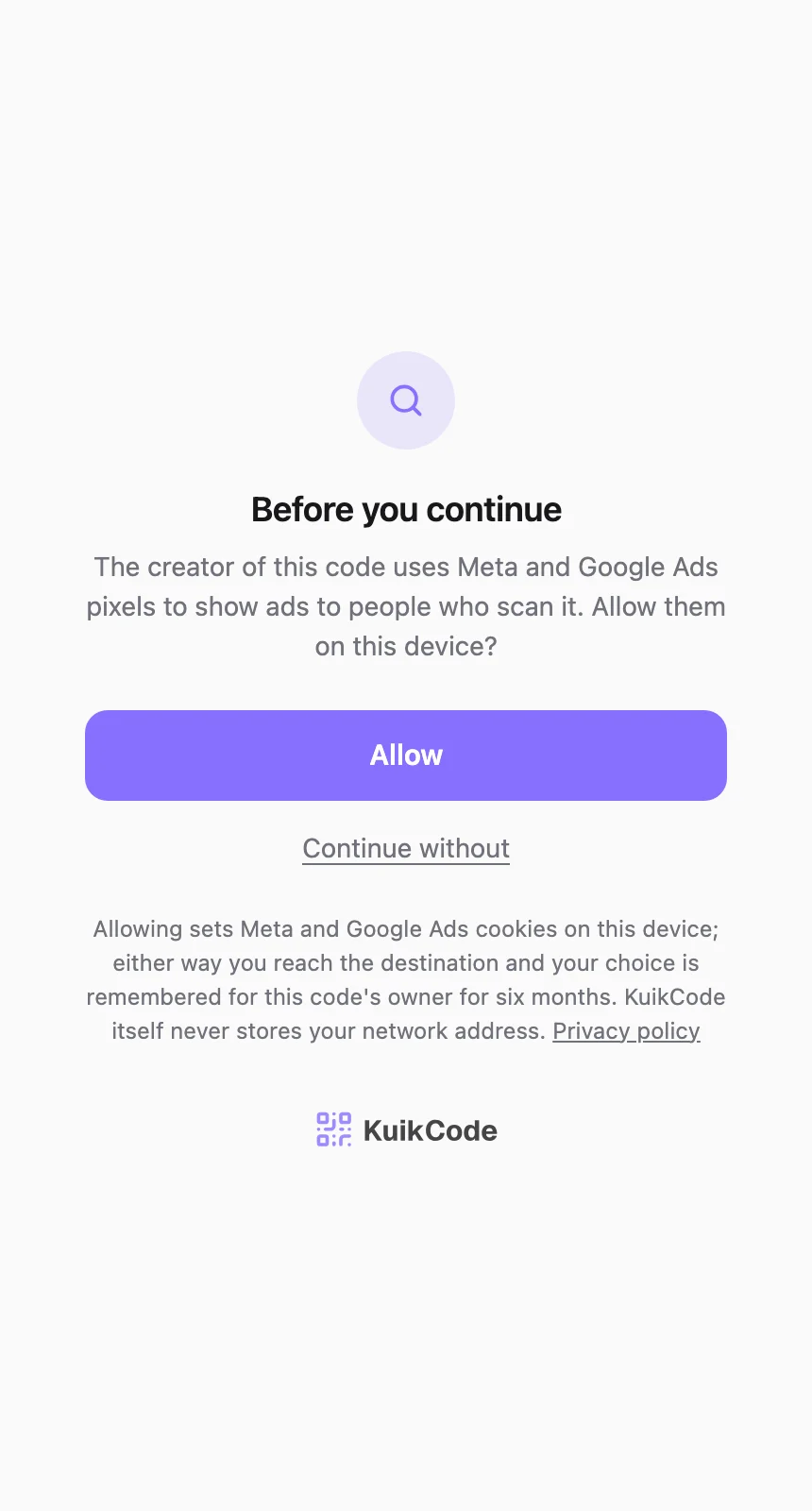
Outside those regions the tags load without a prompt. The consent step is not optional and cannot be switched off per code.
Connect the accounts
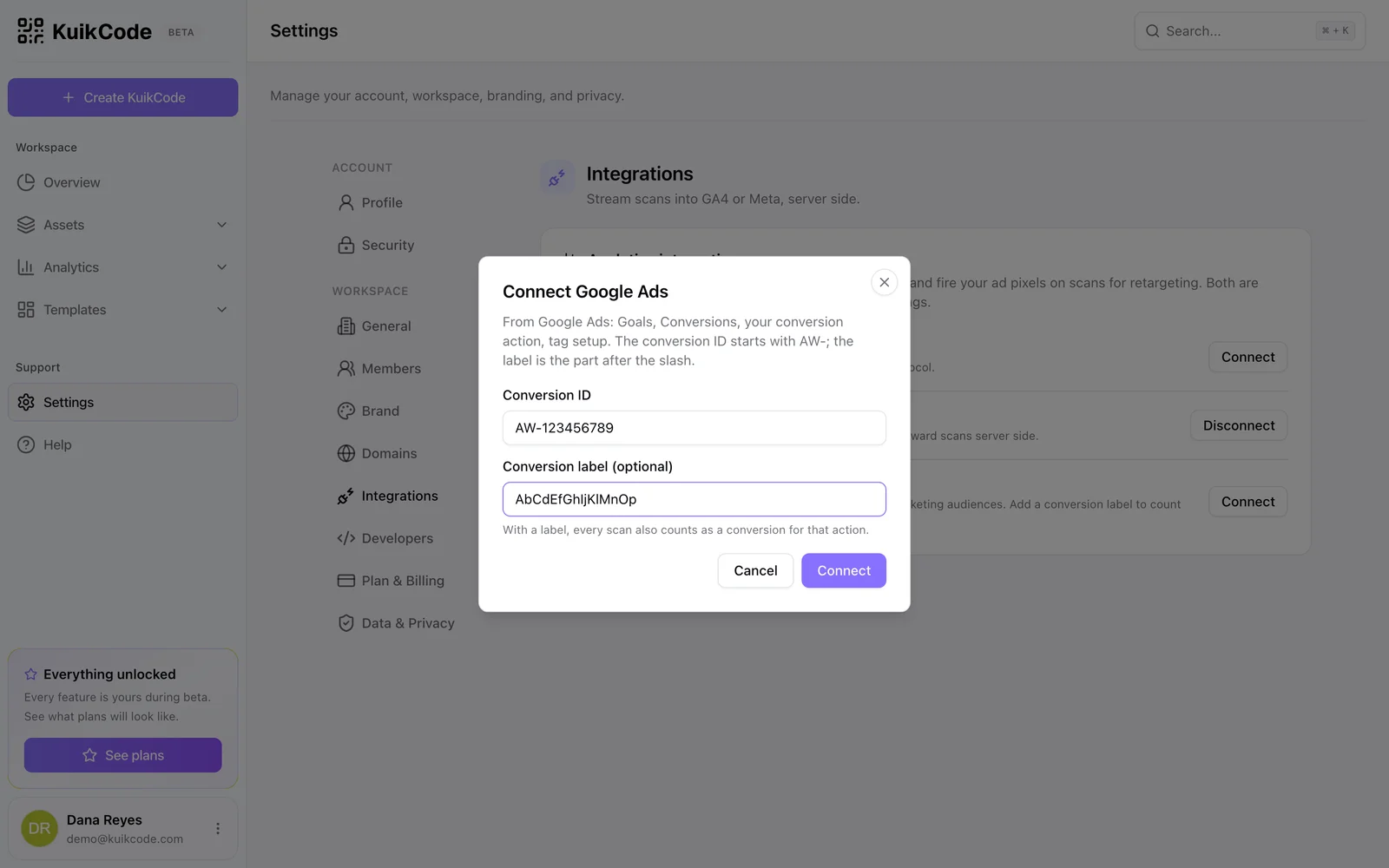
Under Settings, Integrations:
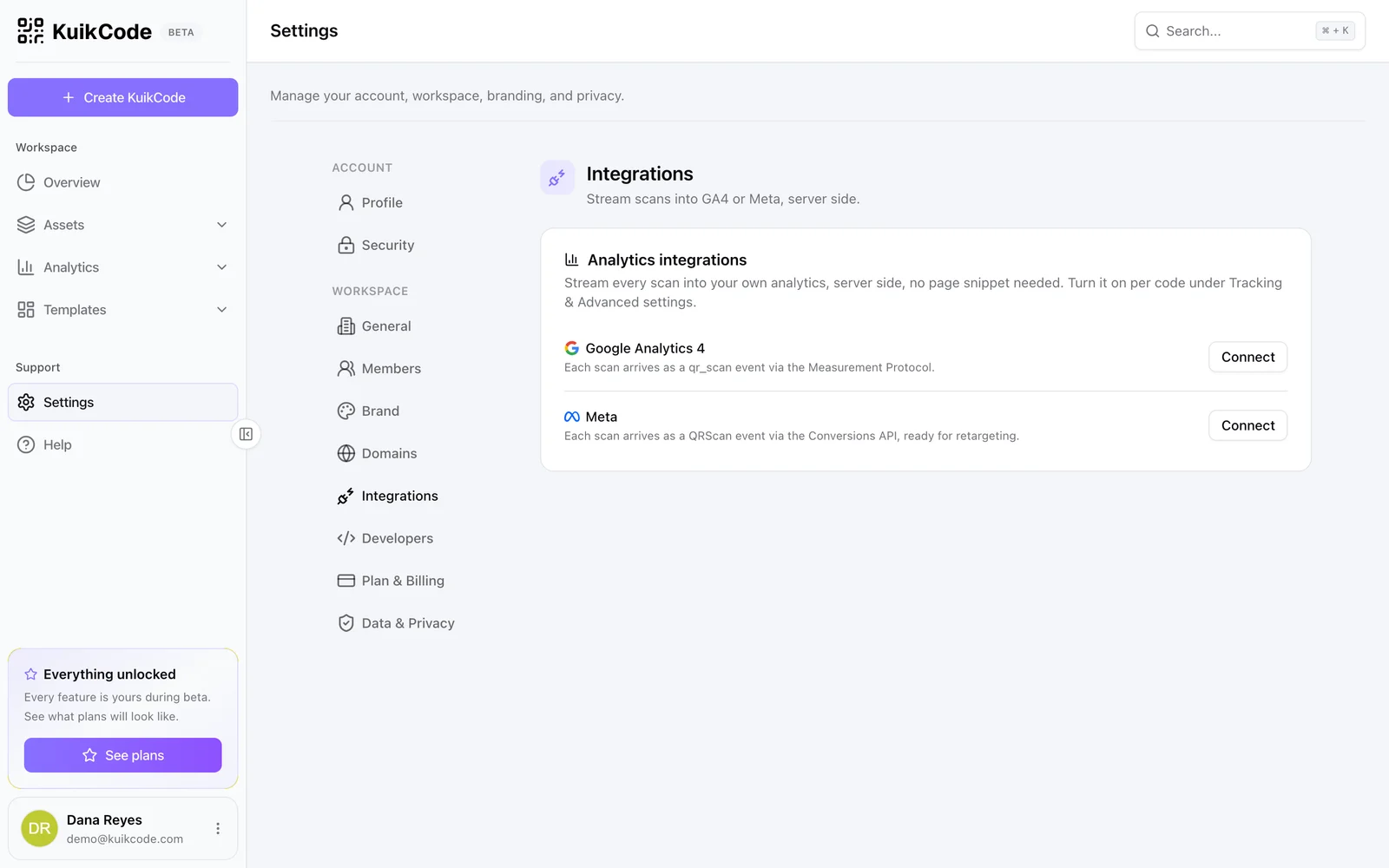
- Meta: the Pixel ID from Events Manager. The Conversions API access token is optional; with it, scans are also forwarded server side, and Meta deduplicates the two because the browser event and the server event share an id.
- Google Ads: the Conversion ID (
AW-followed by digits) from a conversion action's tag setup, and optionally its Conversion label. With a label, every scan also counts as a conversion for that action; without one, the tag only builds remarketing audiences.
Switch it on per code
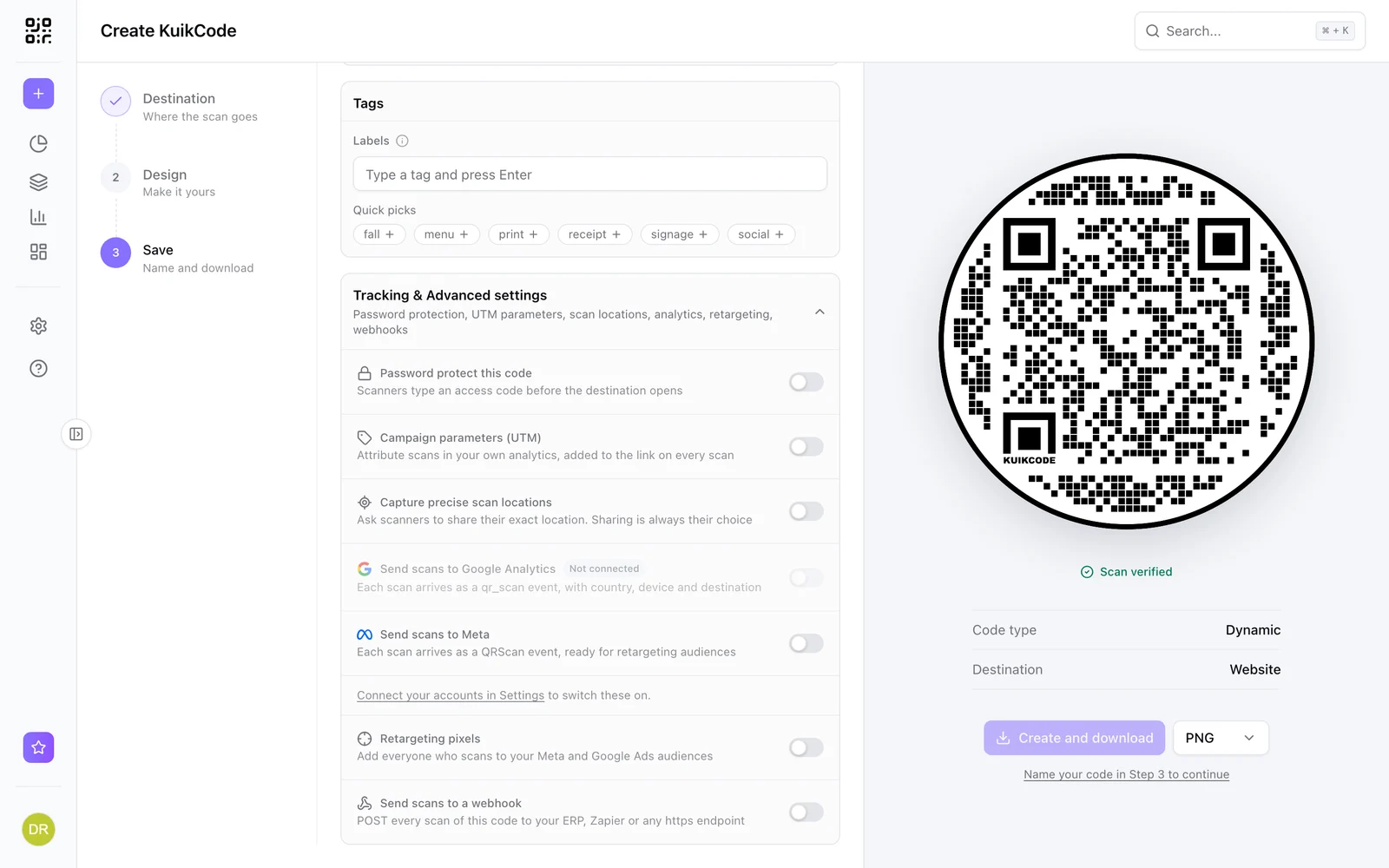
Open the code, expand Advanced in Step 3 and turn on Retargeting pixels. The row lists which tags will fire and stays disabled with Not connected until an account is connected. Each code decides for itself, so a poster campaign can retarget while a business card does not.
Building the audience
- Meta: in Events Manager the pixel receives a
PageViewand a customQRScanevent carrying the code id. Create a custom audience from people who triggeredQRScan, optionally filtered bycode_id, and use it as an ad set audience or a lookalike seed. - Google Ads: the tag adds scanners to your All visitors style remarketing lists. With a conversion label, the conversion action shows scan counts and can optimise campaigns.
Privacy
Retargeting lets Meta and Google set their cookies on the scanner's device, which is a different footprint from KuikCode's own analytics (no advertising cookies, no IP stored). KuikCode asks for consent where the law requires it and remembers the answer; you are the party running the ads, so name the pixels and their purpose in your own privacy policy as well.