

Create a KuikPage
Mobile landing pages built in KuikCode, hosted on kuik.page, and the natural place for a code to point at.
A KuikPage is a landing page you compose from blocks, hosted at yourname.kuik.page or on your own domain. It is what a code points at when there is no website page for the job: a menu, a link in bio, an event, a product insert, a wedding invitation, a form.
KuikPages are included from the Core plan (one page); PRO has five and Business twenty-five.
Start one
Click Create KuikPage on Assets, KuikPages or on the Overview.
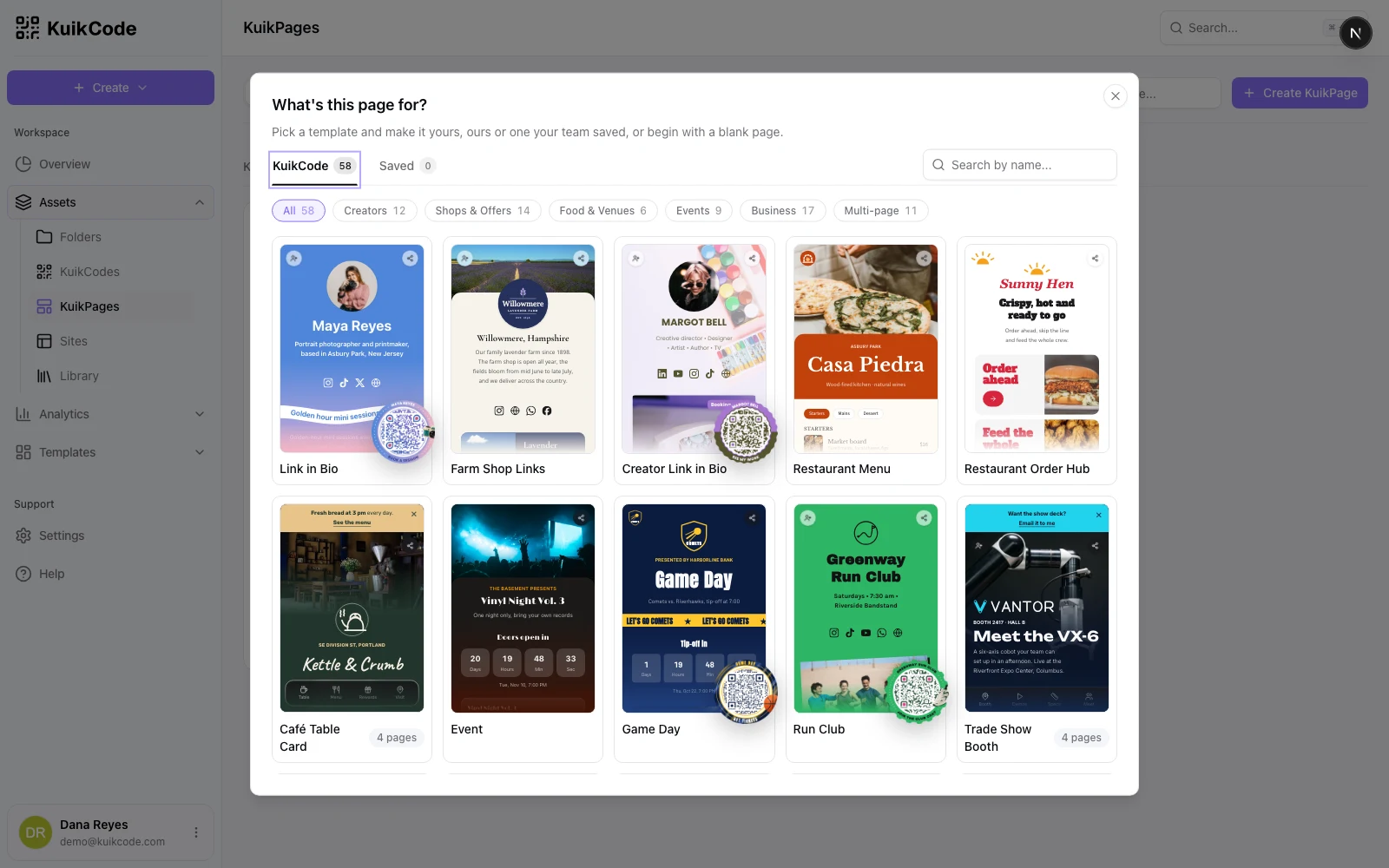
- What's this page for? Pick a template from the KuikCode tab, one your team saved under Saved, or a Blank page. The templates cover Creators (link in bio, creator link in bio, podcast episode, music drop, video, newsletter signup, lookbook, portfolio, online course, creator offers, course creator, artist tour), Shops & Offers (promotion, clothing brand hub, farm shop links, care and warranty, product, launch waitlist, retail offer, app download, mini shop, and the multi-page enter to win, flower shop, ceramics studio and product hub), Food & Venues (restaurant menu, restaurant order hub, appointments, class schedule, ice cream shop, and the multi-page café table card), Events (event, game day, run club, photo gallery, wedding invitation, event recap, vintage market, and the multi-page trade show booth and wedding) and Business (impact report, business card, rental welcome, audio guide, pet ID, file download, property listing, nonprofit, feedback survey, hiring, auto transport, and the multi-page real estate agent, wellness studio, case study and roofing contractor). The Multi-page chip shows only the templates that ship several pages with a menu. The chips and Search by name narrow the list, A KuikCode hanging off a card's corner means the template comes with a code designed to match. Click a card to see the whole template working on a phone (every page, with a code to open it on yours; a template that comes with its own matching KuikCode shows that one), then Use template. The picker opens on Saved when your team has saved templates.
- Name the page and claim its Address: three to thirty lowercase letters, numbers and hyphens, checked for availability as you type.
Some templates are several pages with a menu; the card says how many, and your plan's pages per KuikPage decides whether you can use them. Templates come with complete example copy and photos, so a page is presentable before you touch it, and events are dated in the future. Every template is a starting point; add and remove blocks freely.
The list
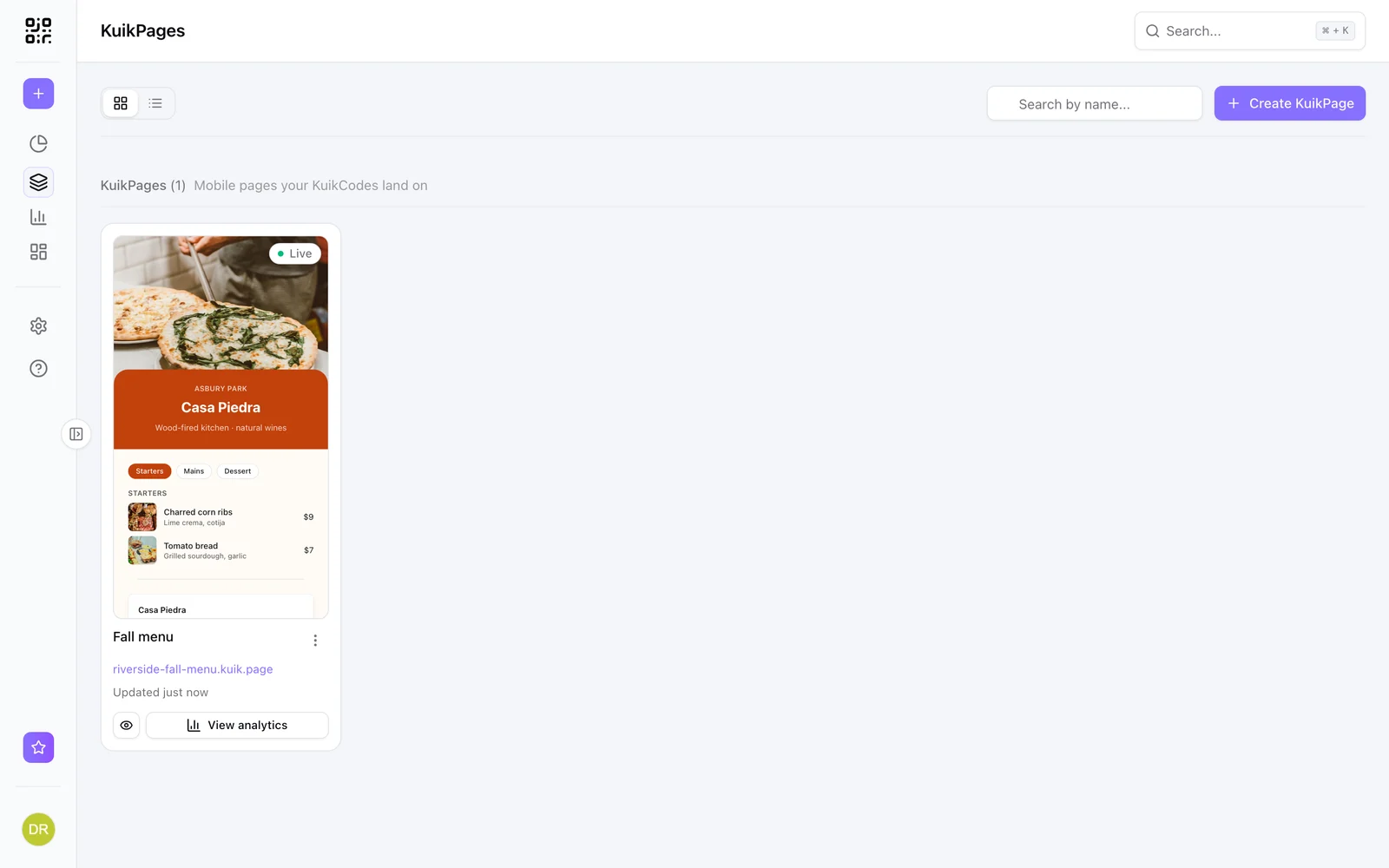
Each card renders the page live, with its status (Draft, Live, Unpublished changes) and its address, a working link once published. The card menu offers Edit design, View analytics, Rename, Copy URL and Delete; deleting takes the page offline, removes the design and archives the page's own KuikCode, so a scan of it shows the page is no longer active. While another live KuikCode still opens the page, delete asks you to point it somewhere else first.
The editor
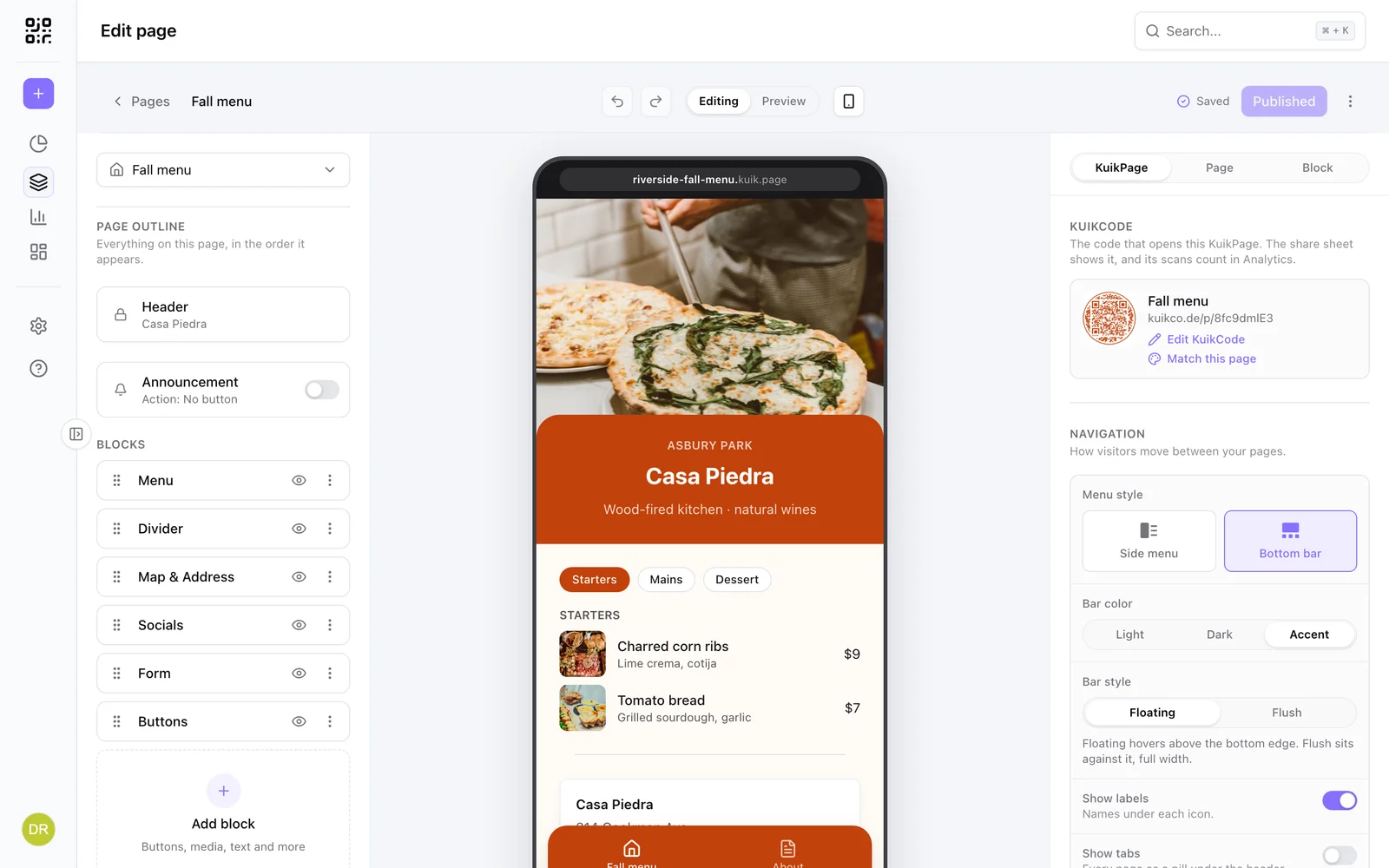
Three zones:
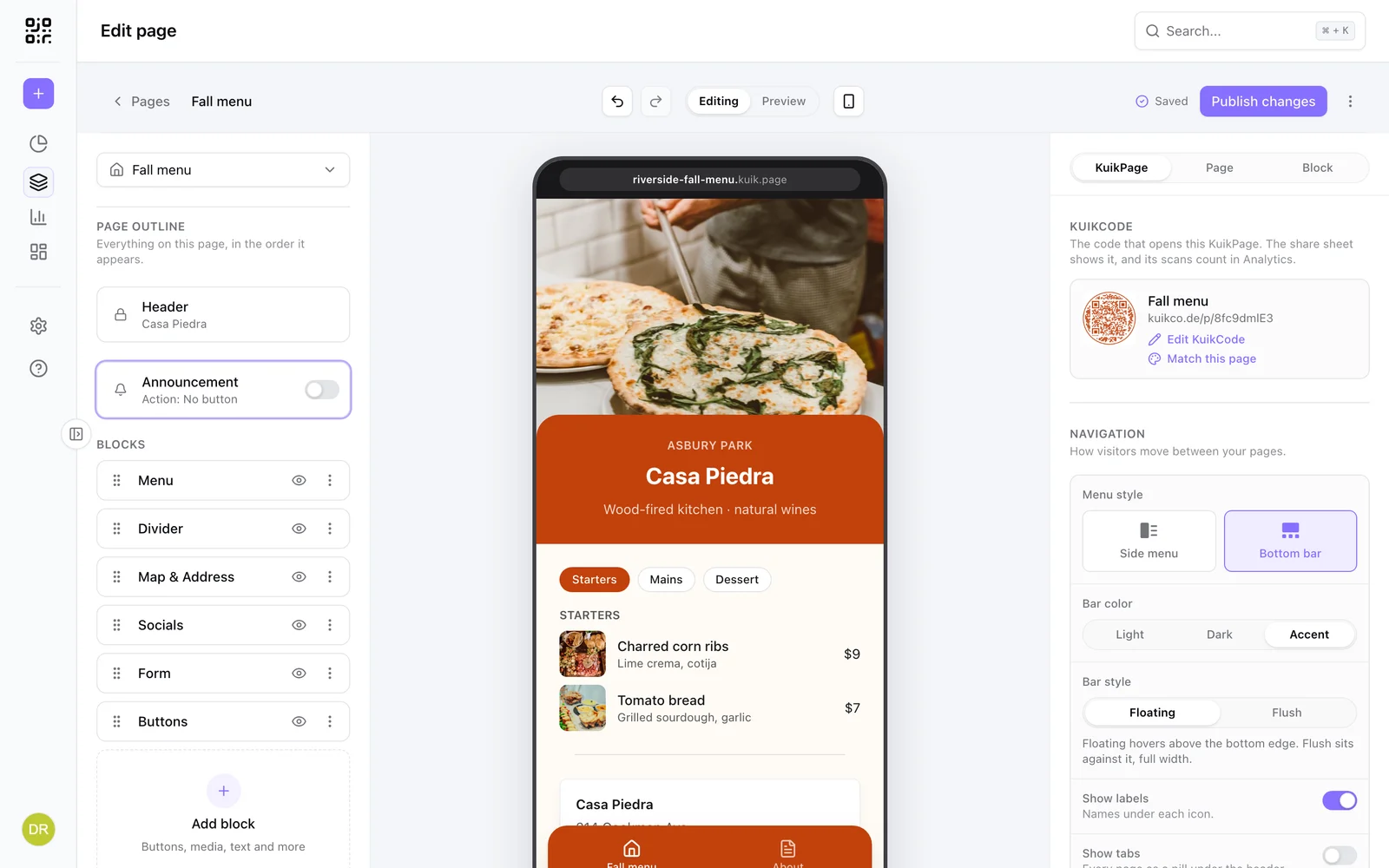
- Left: the page outline, in the order blocks appear, with the Header and the Announcement switch on top, a drag handle, a visibility toggle and a menu on every block, and Add block at the end. Above it, the page switcher, whose menu also holds Create page and Manage pages for multi-page KuikPages.
- Middle: a phone-sized canvas showing the page as visitors will see it. Click a block to select it; text is editable in place.
- Right: the inspector, with a scope switch. KuikPage styles fonts, colors, shape and analytics for the whole KuikPage; Page holds what belongs to the current page (its text color and link preview); Block edits the selected block.
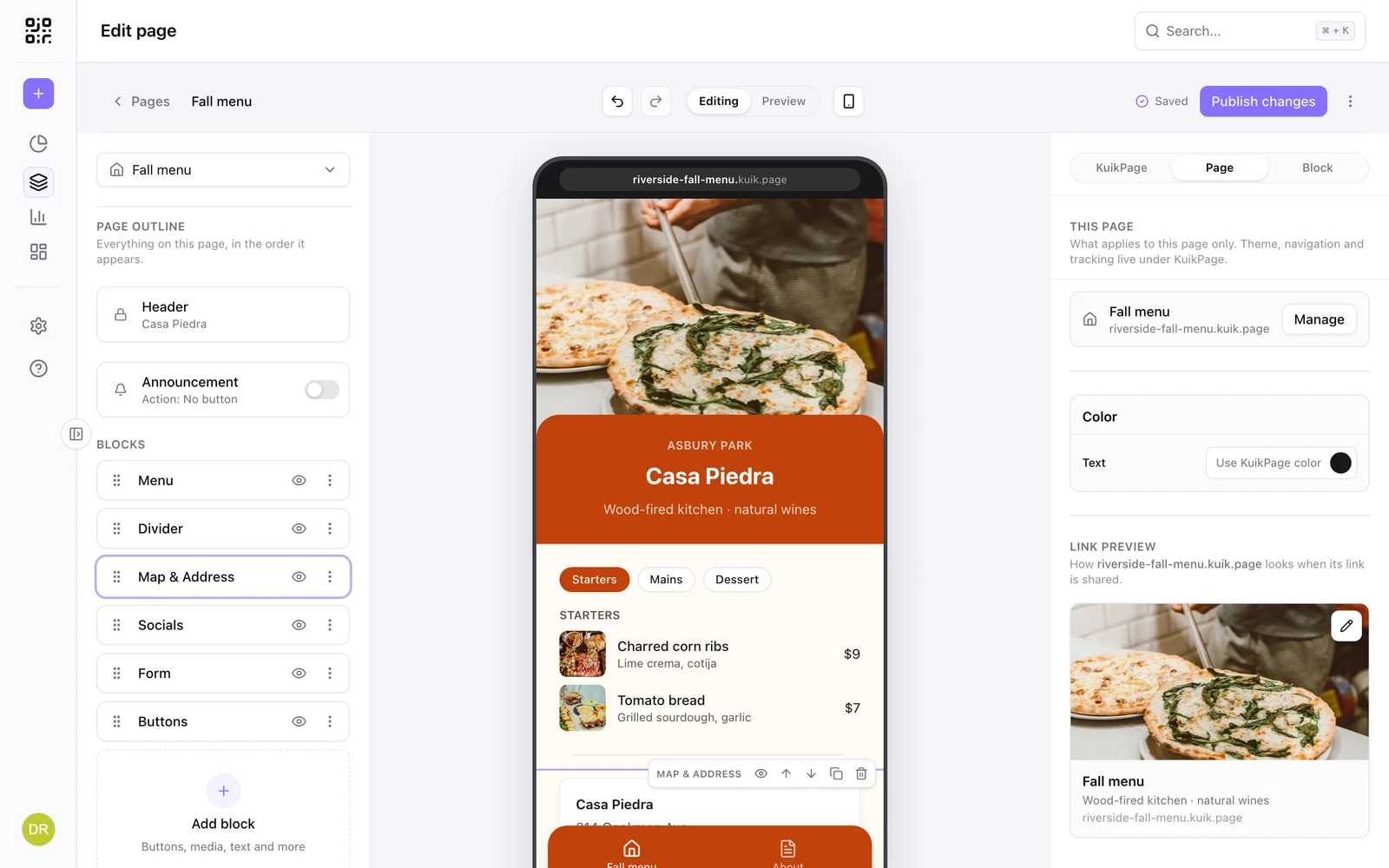
The header has undo and redo, the Editing | Preview toggle, a phone icon for previewing on your own device, the save state (Saving, Saved), the Publish button and a menu with more actions. Changes autosave. Undo and redo cover the whole KuikPage: every page's blocks, the theme, the navigation and the announcement bar, including adding, duplicating or deleting a page. Undoing a change made on another page takes you back to that page first.
More than one page
A KuikPage can hold up to ten pages (five on PRO, ten on Business): a home page and the pages behind it, each with its own blocks, all sharing one address, one theme and one announcement bar. Typical splits: menu, about and reservations for a restaurant; program, speakers and venue for an event; product, specs and support for a package insert.
Manage pages, at the bottom of the page switcher, opens the Pages dialog. The first page is home, drag another to the top to make it home. Create a page adds one with a name; the name becomes the address slug, so "About" is served at /about. Each page can be renamed, given an icon and reordered from its row menu.
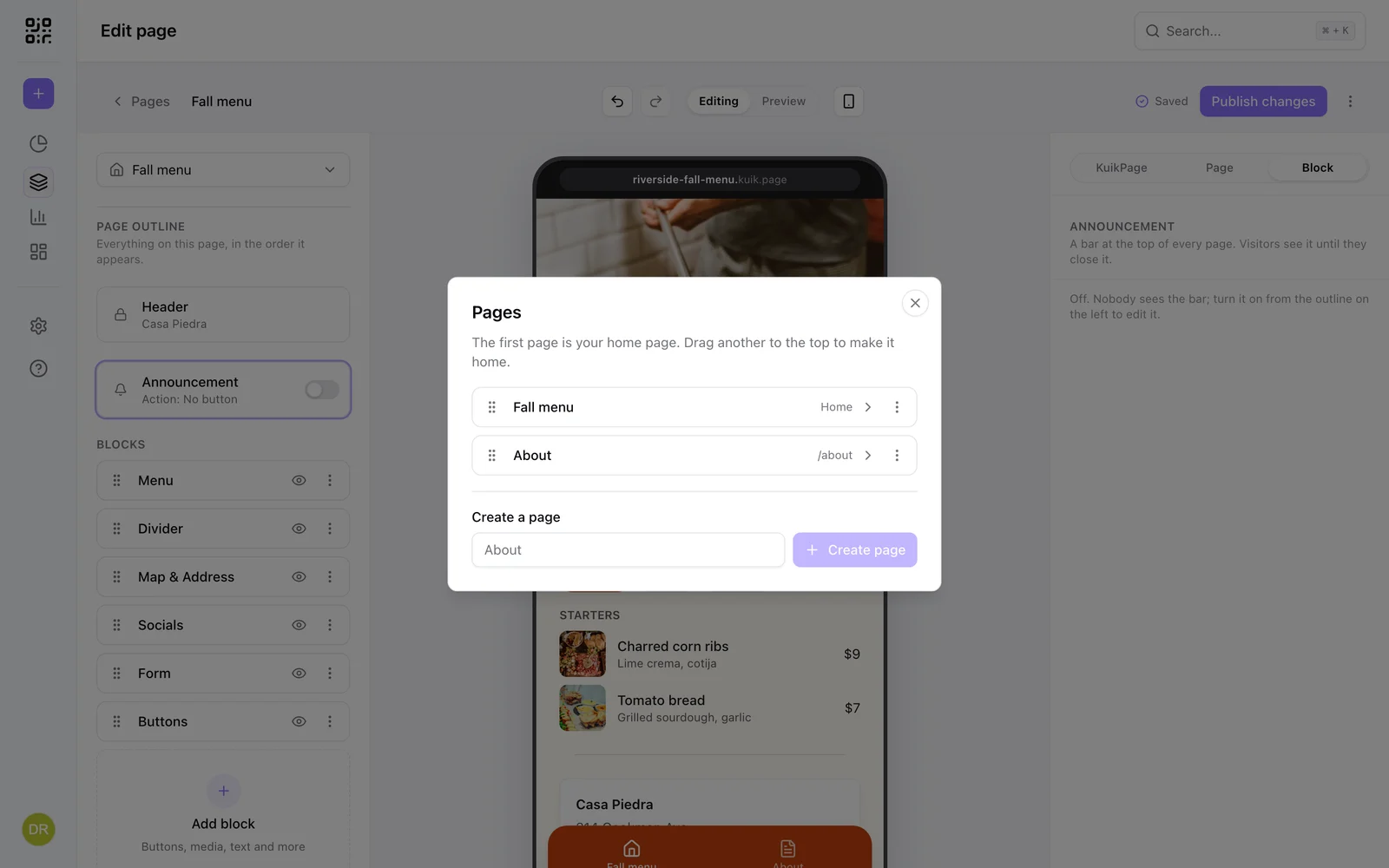
The page switcher above the outline (Page: Fall menu) moves the editor between pages. Blocks belong to the page they are on; the Header of each page is its own.
The menu
Once a second page exists, a Navigation panel appears in the KuikPage scope, with two Menu style options and a Show tabs switch:
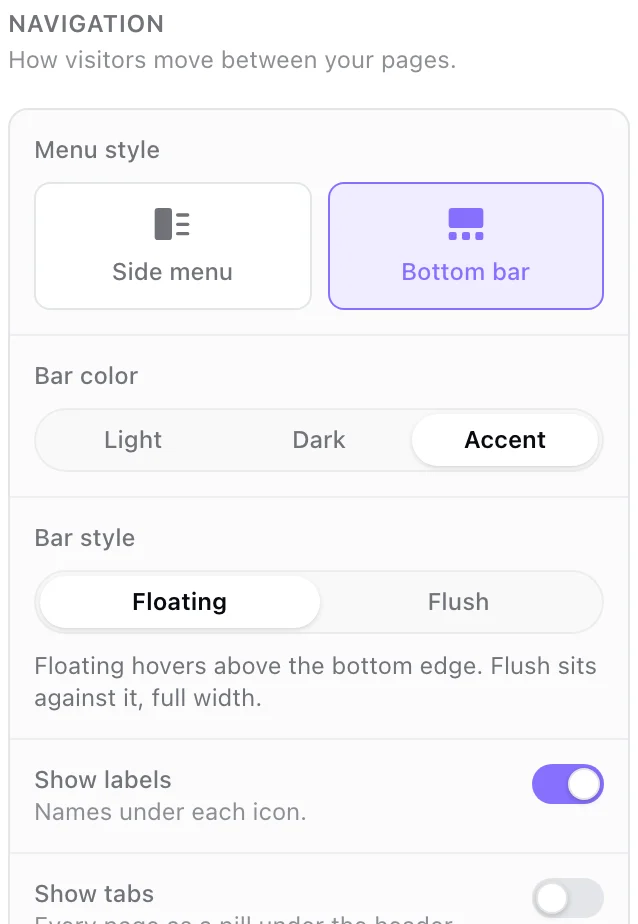
- Side menu: a menu button in the header opens the list of pages, the pattern of a website. Its Look is Drawer (a panel that slides in from the side over the page) or Full screen (your accent color grows out of the menu button and fills the screen, with the page names large beside their icons). Menu button picks the lines inside the round button: Three lines, Stepped lines or Two lines. While the menu is open the button turns into an X that closes it.
- Bottom bar: a fixed tab bar at the bottom of the screen with an icon per page, the pattern of an app. It has a Bar color (Light, Dark or Accent), a Bar style (Floating, the pill that hovers above the bottom edge, or Flush, full width against it) and a Show labels switch for the names under the icons. The bar holds up to five pages.
Show tabs adds a row of pills right under the header on every page, beside whichever menu you picked, one per page with the current one lit in your accent color. Each pill is a link to that page's own address, so it can be shared and found in search. When the names don't fit, the row scrolls sideways and starts at the current page.
Buttons of the Page link kind jump between pages too, so a "See the menu" button on the About page is one tap.
Address and domains
Every KuikPage is served at its kuik.page address as soon as it is published. PRO and Business workspaces can serve a page on their own hostname instead, connected under Settings, Domains with Used for set to KuikPages & Sites; nothing is printed, so it can be repointed later. See Branded scan links for the DNS steps.
Point a code at it
In the KuikCode editor choose the KuikPage destination and pick the page. The code follows the page's address, custom domain included. From a PDF destination the editor can also create a cover page for the file in one step.