

MCP server for AI assistants
Let Claude, ChatGPT and other assistants create designed KuikCodes, repoint printed codes and read scan numbers, through the KuikCode MCP server.
The KuikCode MCP server lets an AI assistant work in your workspace the way a teammate would: "make a QR code for our spring menu in our brand colors", "point the lobby code at the new page", "how many scans did the trade-show codes get last week". It speaks the Model Context Protocol, so any assistant that supports MCP connectors can use it.
| Endpoint | https://mcp.kuikcode.com/mcp |
| Transport | Streamable HTTP |
| Sign in | OAuth from the assistant (Claude, ChatGPT), or a KuikCode API key as the bearer token (Claude Code, Cursor and other developer tools) |
| Plan | Business |
Connect from Claude or ChatGPT
- In the assistant, add a custom connector (Claude: Settings, Connectors, Add custom connector; ChatGPT: Settings, Connectors) with the endpoint above.
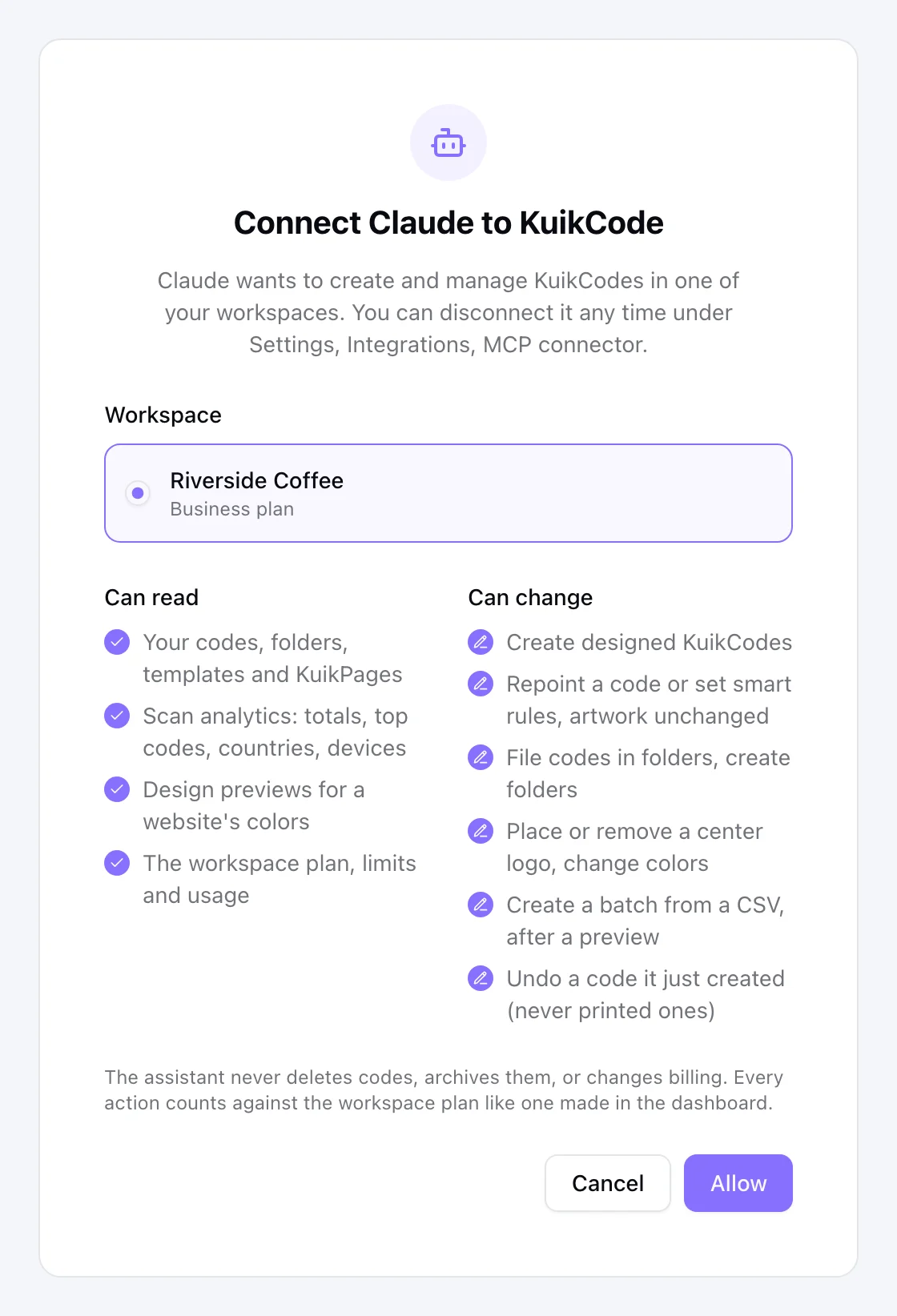
- The assistant sends you to KuikCode. Sign in if asked, pick the workspace it may use, review the tool list and click Allow. Only workspace owners and admins can connect an assistant, and the workspace has to be on Business.
- Back in the assistant, ask for something. The first request usually takes a few seconds while the design renders.
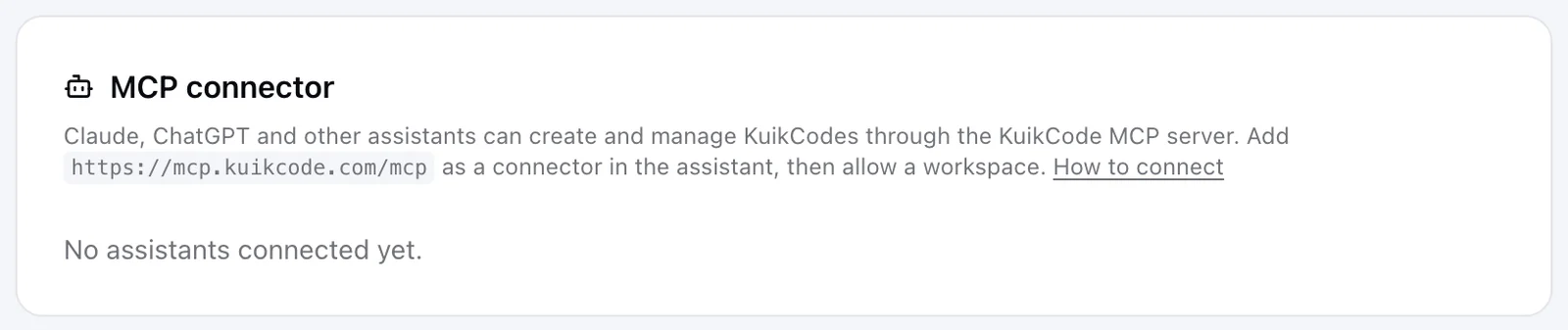
Every connection shows under Settings, Integrations, MCP connector with who connected it and when it was last used. Disconnect ends the assistant's access on its next request; codes it created stay.
Connect with an API key
Developer tools that take a bearer token can skip the consent screen. Create a read and write key under Settings, Developers and configure the server with Authorization: Bearer kc_live_.... For Claude Code:
claude mcp add --transport http kuikcode https://mcp.kuikcode.com/mcp \
  --header "Authorization: Bearer kc_live_..."
The key's own budget and scope apply. A read-only key can list and read but not create.
Things to say
The assistant works from plain requests. A few that map to what the server can do, with what happens next:
| You say | What happens |
|---|---|
| "Make a QR code for https://example.com/menu in the site's colors" | It proposes a name, reads the site's brand colors and sends you a link showing nine designed options, A to I. Nothing is saved until you pick one. |
| "Show me another set" | Nine new options for the same colors, new link. |
| "B, but use #456566 and #f59e0b" | Option B recolored with your two colors, same layout, shown before saving. |
| "A, but squared" | The same design with a squared outline and frame. |
| "Gold gradient frame, SCAN on top, TAP ON SCREEN at the bottom, rounded dots" | Frame, words, dots and eyes are adjustable on any design or saved code; you see the result before it is saved. |
| "Show me the templates" | It asks whether you mean your own saved templates or KuikCode's designs, then sends a link to a page with each one's picture and name. |
| "Use the Fall campaign template" | Shows the template on your link first; saves when you say yes. Add colors or tweaks to adjust it. |
| "Plain black and white, call it Lobby poster" | One preview of the plain code, then saves on your yes. |
| "Put our logo in the middle" (with an image or a URL) | Places the logo in the center and re-renders the artwork. |
| "SVG please" after a save | A download link to the print file. PNG, SVG or JPG, up to 4096 px. |
| "Green, diamonds on the frame, rounder eyes, double border" on a saved code | One preview of the restyled code; it is saved only when you say yes. |
| "Save this look as a template" | The design becomes a workspace template for future codes. |
| "List my codes in the Spring folder" | Names, destinations, scans and a thumbnail link per code. |
| "Point the lobby code at https://example.com/winter" | Repoints the printed code; the artwork never changes. |
| "iPhones to the App Store, Android to Play, everyone else to the site" | Turns it into smart rules, reads them back as sentences, saves on your confirm. |
| "How many scans did the trade-show codes get last week?" | Totals, top codes, countries and devices for that folder and window. |
| "Here is a CSV, one code per row, in our brand colors" | A preview first: rows understood, problems by line, quota impact. The batch is created only after you confirm. |
| "Create a photo of a latte on a wooden counter" | KuikCode generates the picture, saves it in your Library and the assistant shows it. Each one counts toward the plan's monthly AI generated images. Your own photos and the assistant's own generated images cannot be handed to KuikCode from the chat; this is the way to get a new picture in. |
| "Make a KuikPage for our spring menu" | Suggests templates with preview links, confirms the name and the your-name.kuik.page address, creates a draft and sends a preview after every round of changes. Publishes only on your yes. See Build a KuikPage with an AI assistant. |
| "Publish this site" (after the assistant built one) | It zips the files with index.html at the root, confirms the name and the your-name.kuik.page address, publishes, sends the live link and offers a KuikCode that opens it. |
| "Update the menu site with these changes" | Redeploys the same site: the address stays, so printed codes show the new version. |
| "Don't save it" or "undo that" | Before a pick nothing exists; after a save it removes a code created in the last day with zero scans. Anything else is archived from the dashboard. |
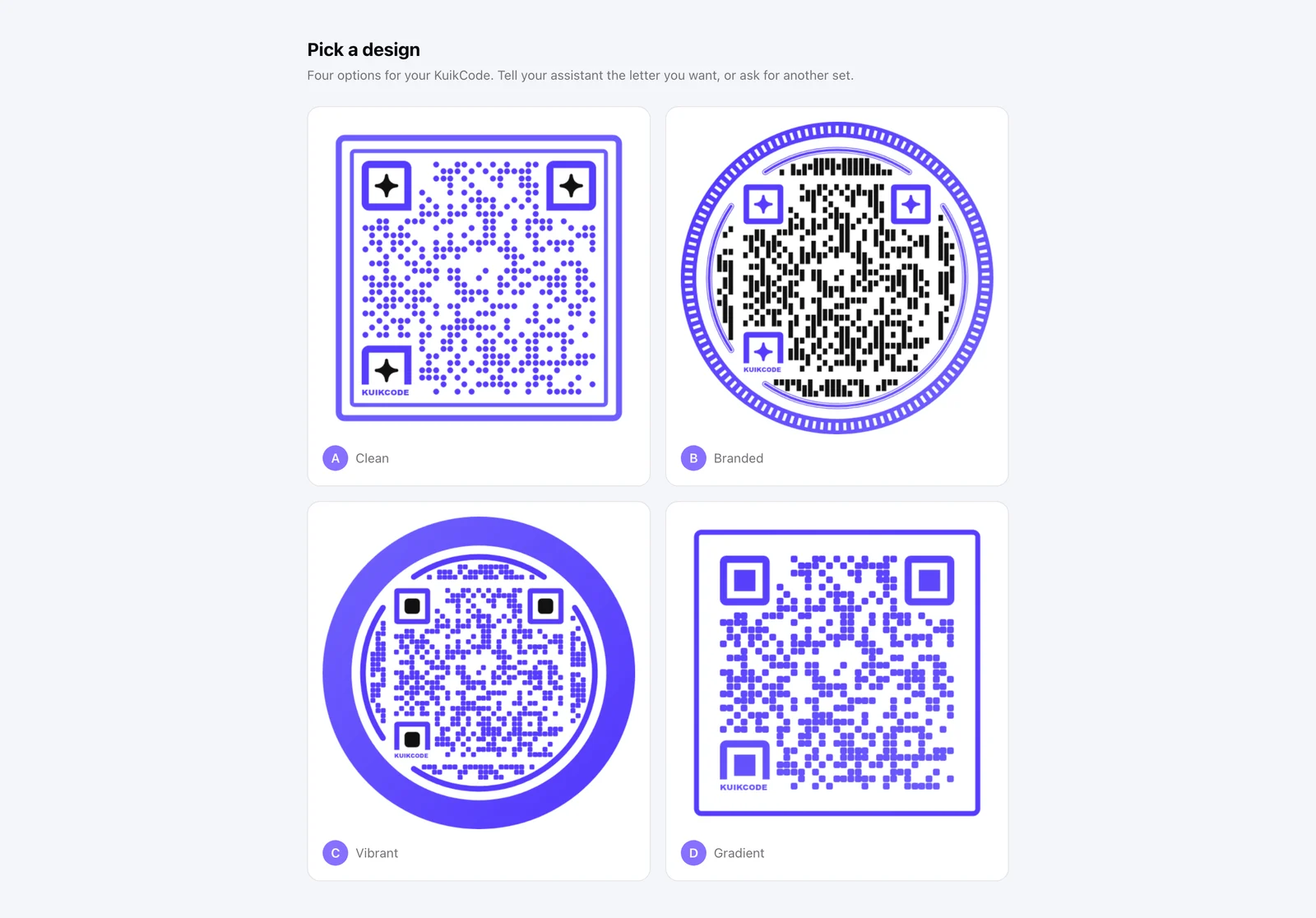
Before saving a new code the assistant asks once whether to add a folder, tags, UTM campaign parameters, or keep the design as a template. Nothing is saved sight unseen. For a designed code the assistant sends a link to a page with nine options, lettered A to I; for a template, a plain code or any adjustment it sends one preview. You answer, and only then is the code created.
What the assistant can do
| Tool | What it does |
|---|---|
workspace_context | Plan, ceilings and usage, so the assistant can explain a limit with numbers |
list_codes, get_code, render_code, download_code | List codes with name, destination and thumbnail, read one, show its artwork, get a download link to the print file (PNG, SVG or JPG) |
list_folders, create_folder, list_templates, list_pages, get_page | Folders (list and create), templates with a link to a gallery page, KuikPages |
scan_summary, scan_timeseries | Total scans, unique visitors and the last scan, compared with the period before; scan counts per hour, day or week. Shown as a chart card in assistants that support interactive views (Claude, ChatGPT), with a table view one tap away; elsewhere the assistant answers in text |
preview_designs | Nine designed variants for a website's colors, before creating anything; or one variant shown in your colors, shape and tweaks |
create_code | A new dynamic code. The assistant confirms the name and the design source with you first. Designed by default from the destination site's colors: the first call returns four variants to pick from and saves nothing, the second call with your choice creates the code. A template, the Brand Kit, or plain black on white save at once when you ask for them by name. A logo from a URL or the chat goes in the center |
update_destination | Point a printed code somewhere new. The artwork never changes |
set_smart_rules | Route scans by device, country, device language, local time, date, weekday, scan count or location. The assistant reads the rules back as sentences before saving |
move_code | File a code in a folder |
update_code | Rename, retag, set or remove an access code, set or remove a scan webhook |
set_logo | Place or remove the center logo, artwork re-rendered |
restyle_code | Change a saved code's colors, round or squared outline, frame color or gradient, words on the frame, repeated motif, dot type, eye shape, border or edge. Previews first, saves on your yes |
save_as_template | Keep a code's design as a workspace template |
discard_code | Undo a code it just created: only codes under a day old with zero scans; anything else is archived from the dashboard |
create_codes_bulk | A batch from a CSV or rows. The first call is a preview (rows understood, problems by line, quota impact); the batch is created only after you confirm |
list_page_templates, create_page, get_page_content, describe_blocks, edit_page, publish_page | Build a KuikPage from a template: create the draft, read it, change blocks, pages, menu and theme with edit operations, publish. Every change comes with a preview link; see Build a KuikPage with an AI assistant |
import_image, search_photos | Put a picture in the Library from a link (or a file, from tools like Claude Code) or from free stock photos, for use on a KuikPage |
generate_image | A picture from a description, stored in your Library as a JPEG (square, landscape, portrait, wide or tall), with a public link usable as a code logo or anywhere KuikCode takes an image. Metered per month by plan |
list_sites, publish_site, prepare_site_upload | List hosted sites; publish a static site as a ZIP (index.html at the root, static files only, no PHP or other server code) to your-name.kuik.page, or redeploy one in place. ZIPs over about 3 MB go through prepare_site_upload, which needs an assistant that can run shell commands, like Claude Code. See Hosted sites |
The assistant cannot archive codes or delete any code that may be in print, change billing, manage members, or unpublish or delete KuikPages. Everything it does counts against the workspace plan exactly like an action in the dashboard, and shows up in the same places.
Limits and refusals
Tool calls share the workspace's API rate limits. Designed creates and renders are capped at twelve per minute per connection. When a request would pass a plan ceiling, the assistant gets the numbers and a link to Plan & Billing rather than a failure, so it can tell you what to do. Business is the top self-serve plan; for higher ceilings, contact KuikCode about Enterprise.
Privacy
The server stores no data of its own. Each OAuth connection is backed by a hidden API key scoped to the one workspace you allowed; disconnecting deletes its access. Destination URLs, keys and tokens never appear in the server's logs.