

Templates
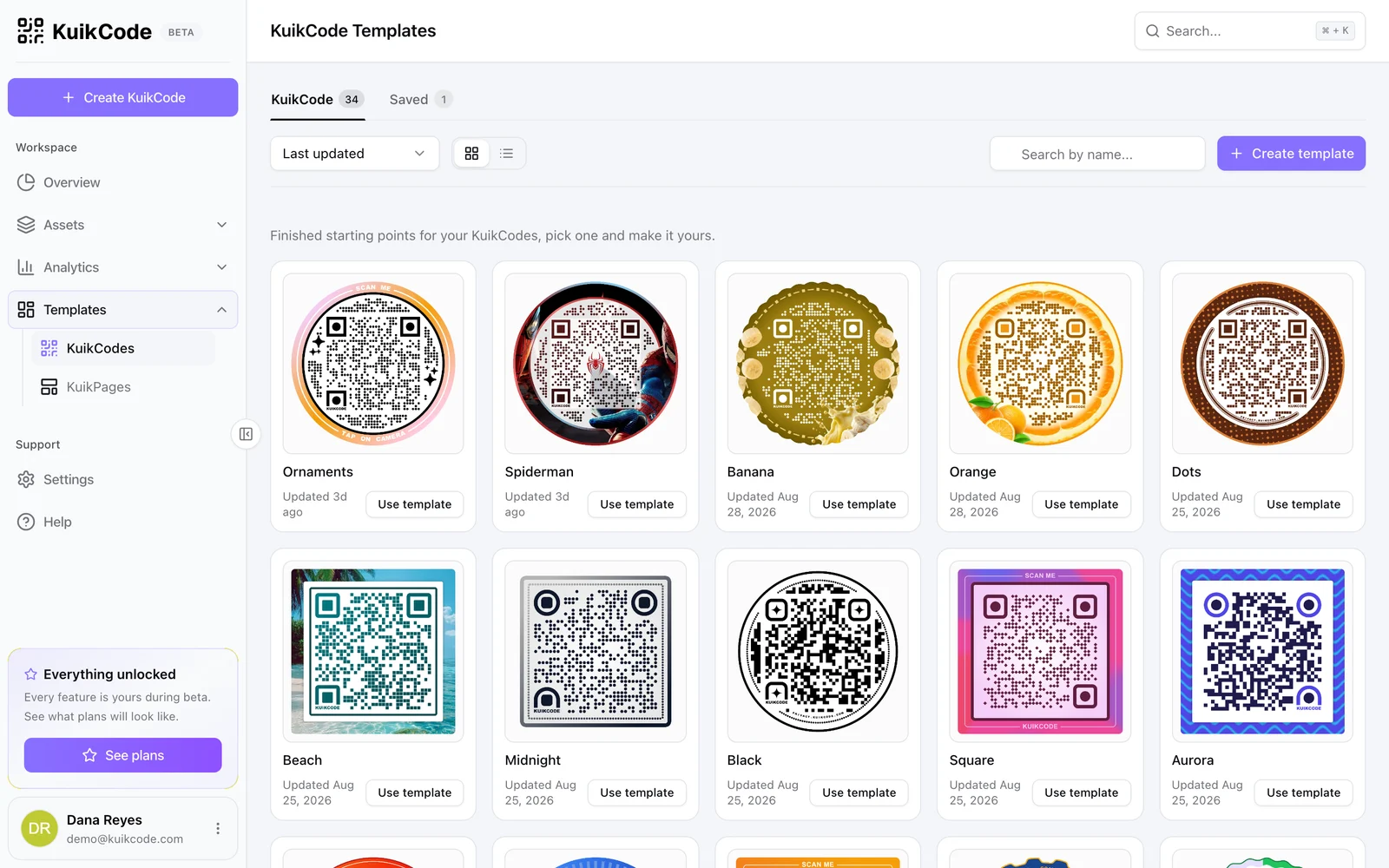
Finished designs to start a code from, KuikCode's own and the ones your team saves.
Templates, KuikCodes shows two tabs. KuikCode holds the house designs, more than thirty looks from plain to illustrated. Saved holds the templates your workspace made. Every card has Use template, which opens the editor with that design and an empty destination.
Click a KuikCode template, or the eye on any card, to preview it at the size the editor shows it. The arrows beside the preview, or the arrow keys, step through the list without closing it; on a phone they sit in a bar under the preview. A saved template's preview also has Edit design.
Saving your own
Two ways:
- In the editor, switch on Save design as template in Step 3 when creating a code. The design is saved under the name you give it, and the code is created as usual.
- On the Templates page, Create template opens the editor in template mode: two steps, Design and Save, no destination.
A saved template opens in the editor for changes through its card menu, and can be renamed, duplicated or deleted. Saved templates count against the plan's template allowance; it is unlimited from PRO.
Using templates
- From the gallery here, from the Start from a template card in Step 2 of the editor (hover a design and click its eye to preview it first), or by passing a template's id as
templateIdwhen creating codes through the API. - Templates carry the design only. Destination, name, folder and tags are set per code.
- Every plan includes every template in the gallery.
KuikPage templates
Templates, KuikPages lists the page templates the same way, with the same preview and arrows, see Create a KuikPage.