

Forms and submissions
Collect leads on a KuikPage, read them in the dashboard, and send each one to your inbox or your CRM.
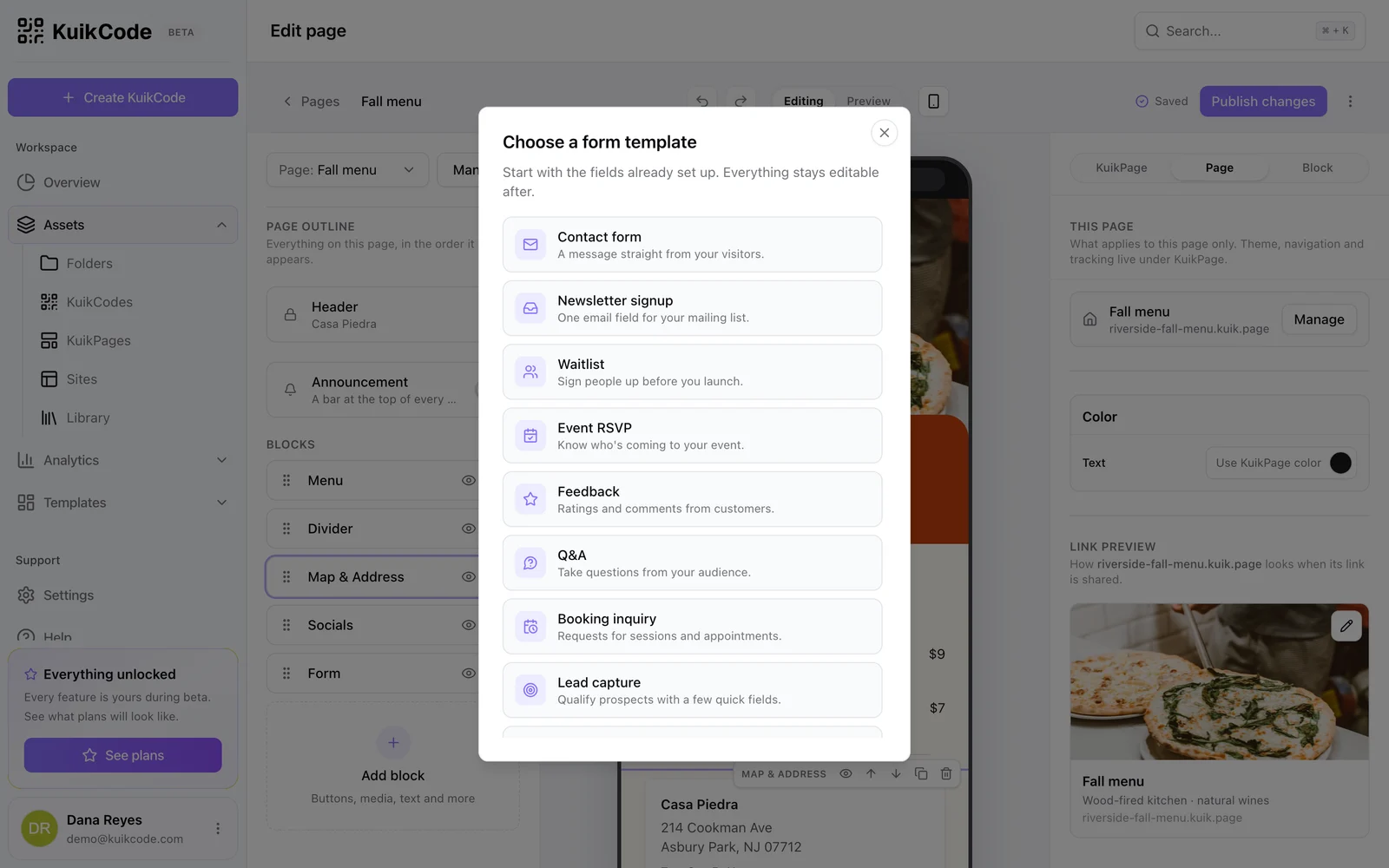
Add a Form block (Core and up). The palette first asks what the form is for: Contact form, Newsletter signup, Waitlist, Event RSVP, Feedback, Q&A, Booking inquiry, Lead capture and more. Each template arrives with its fields set up and everything stays editable.
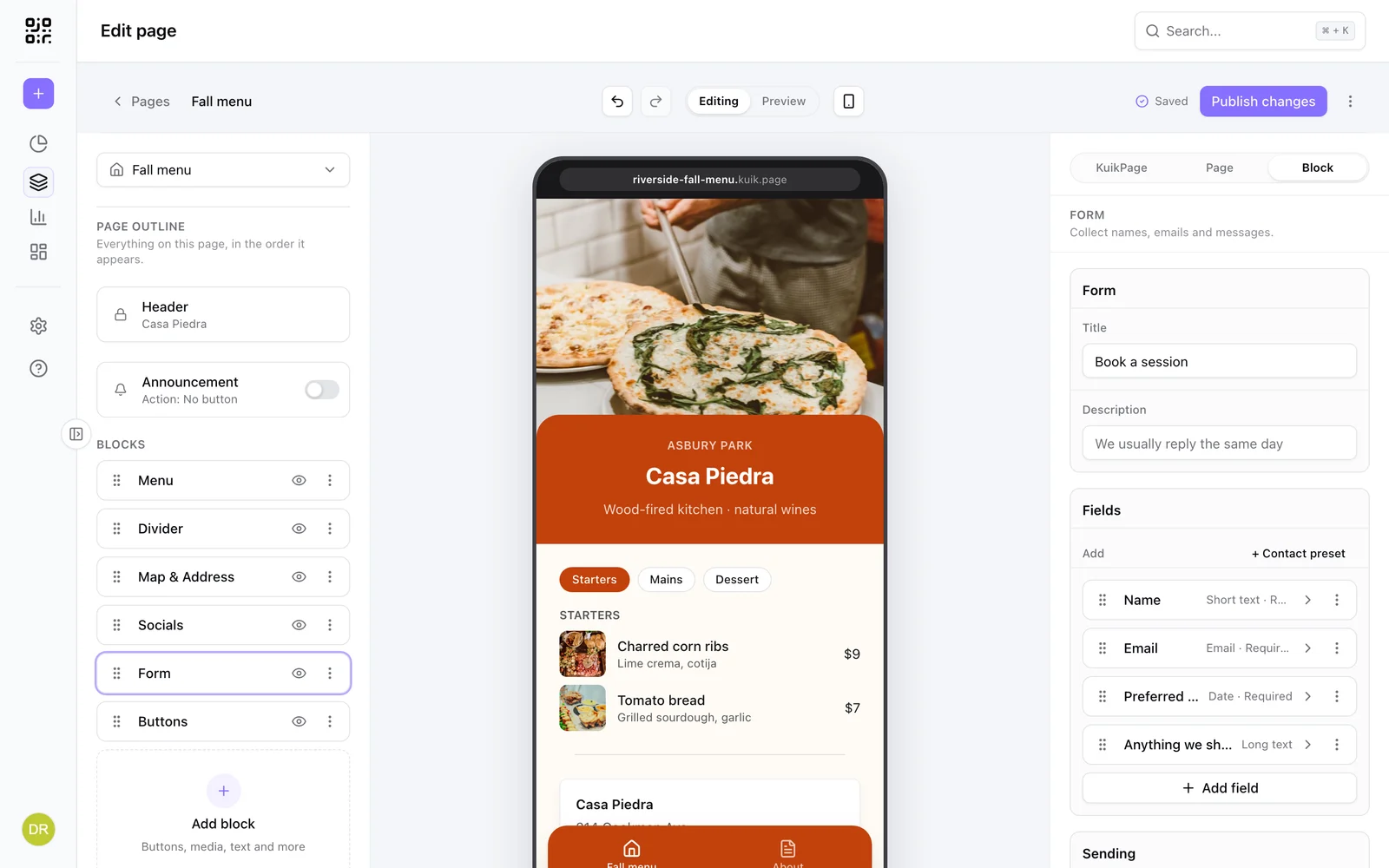
The block takes a Title, a Description, up to fifteen fields, a Submit label, an optional Consent text, and what happens after sending.
After sending
Once a visitor sends the form, it is replaced by a confirmation card: a check mark and your Thanks message, right where the form was. Under After sending you can add a Next step button (a label and a link, for example "Back to our website" or a booking page) and choose whether the card offers Send another response, which brings back an empty form.
If something goes wrong, a message appears at the top of the form and the answers stay filled in, so the visitor can fix it and send again. It says what happened when it can: the spam check did not finish, a required field is empty, or the connection dropped.
Field types
Text, email, phone, long text, select (one option per line), checkbox, date and a one to five star rating. Each field has a label, a placeholder and a required switch.
Where submissions go
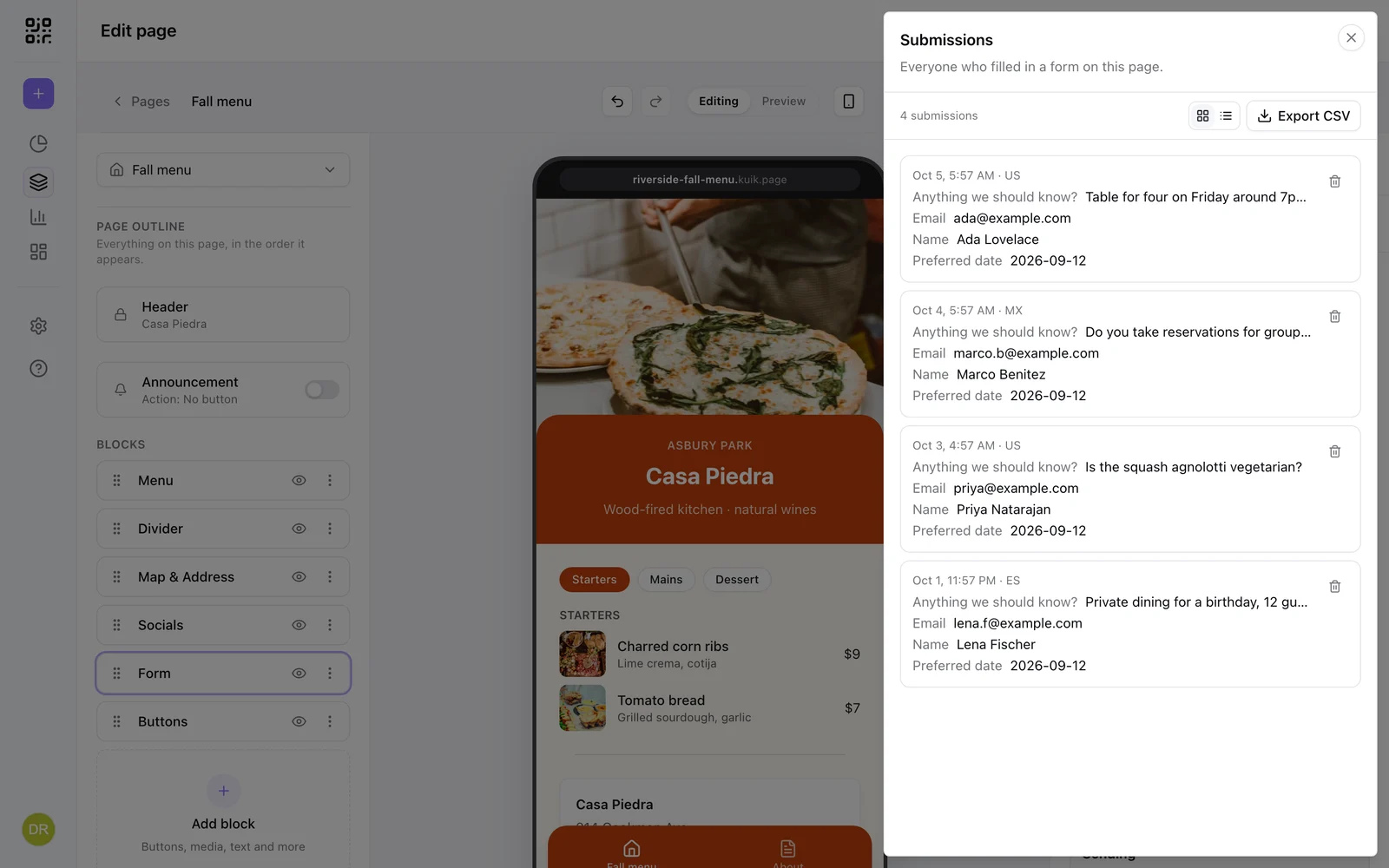
- Every submission is stored and listed under Leads in the page menu, in a Submissions sheet with card and list views, per-row delete and Export CSV. Columns follow your current field labels; a field you removed still shows its old answers.
- Email me each one sends a notification to the address you set under New submissions.
- Webhook URL posts each submission as JSON to your endpoint (PRO and up), the way into Make, n8n or a CRM. See Form webhooks. On PRO, the Zapier app also picks up new submissions without a webhook.
- The API lists them at
GET /submissions.
Spam
Submissions pass a Cloudflare Turnstile check before they are stored. Values are trimmed and capped, and only the fields the form defines are kept.