

Preview, publish and share
Drafts, previews on a real phone, the publish flow, link previews and analytics for the page itself.
Preview
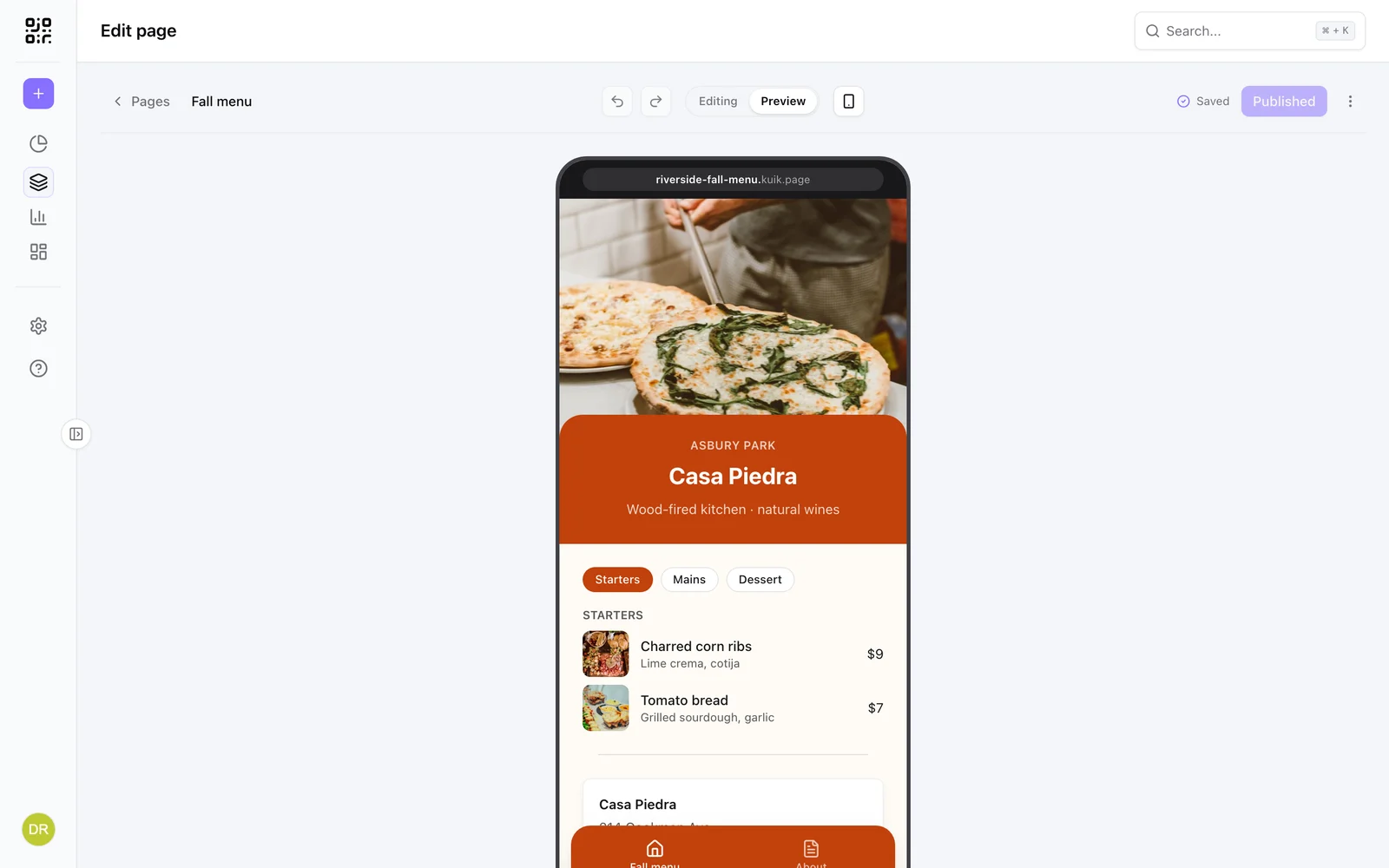
Editing | Preview in the header renders the page live on the canvas, links working, so you can tap through drawers, tabs and forms.
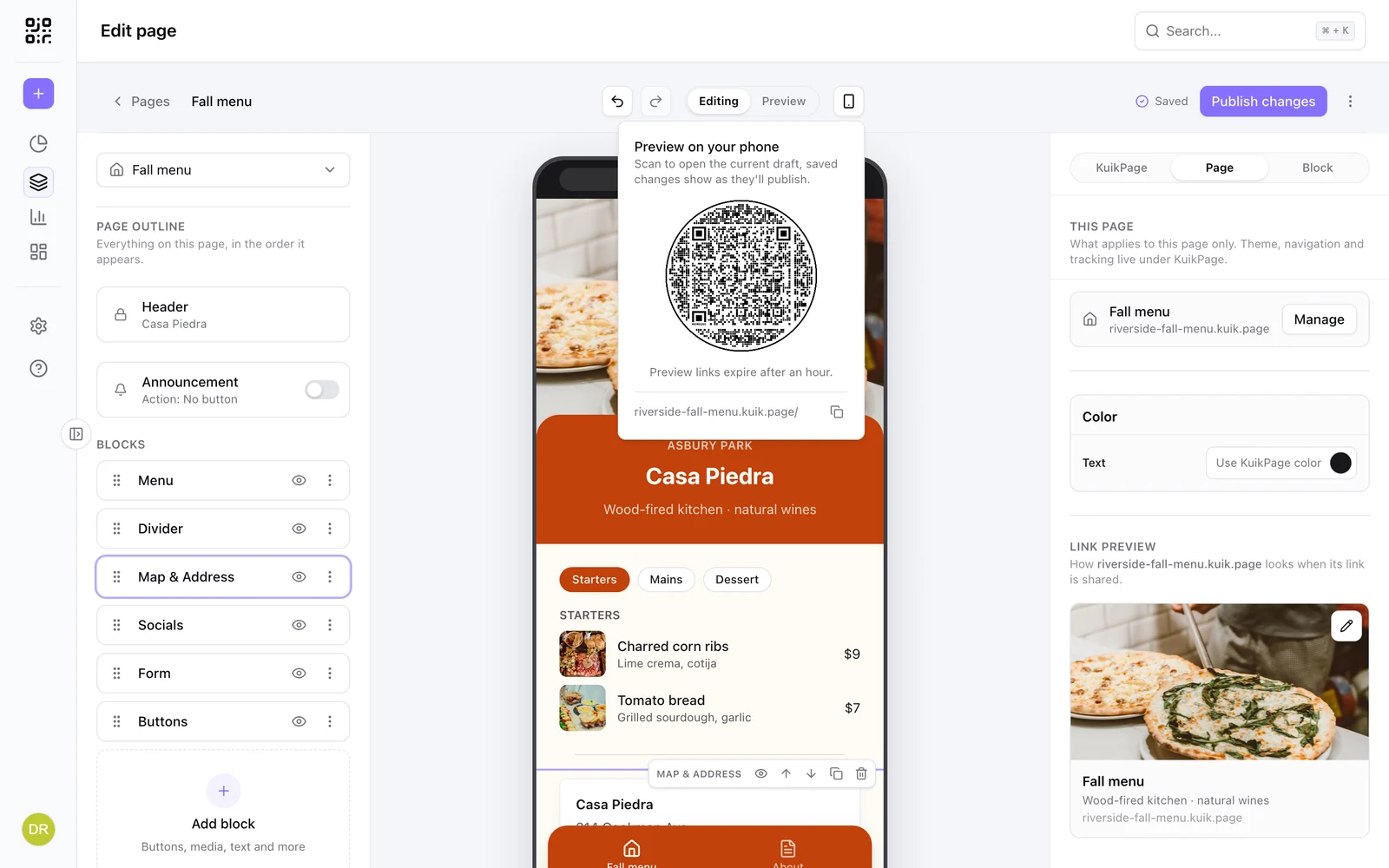
The phone icon shows a QR code: scan it with your own phone to open the current draft exactly as it will publish, saved changes included. The link is private, expires after an hour, and drafts are never indexed. It is the quickest way to check a page on the device it is made for.
Publish
A page is a Draft until you press Publish. After that the button reads Published, and turns into Publish changes whenever the draft differs from what is live, with an Unpublished changes badge in the list. The menu next to it holds the rest:
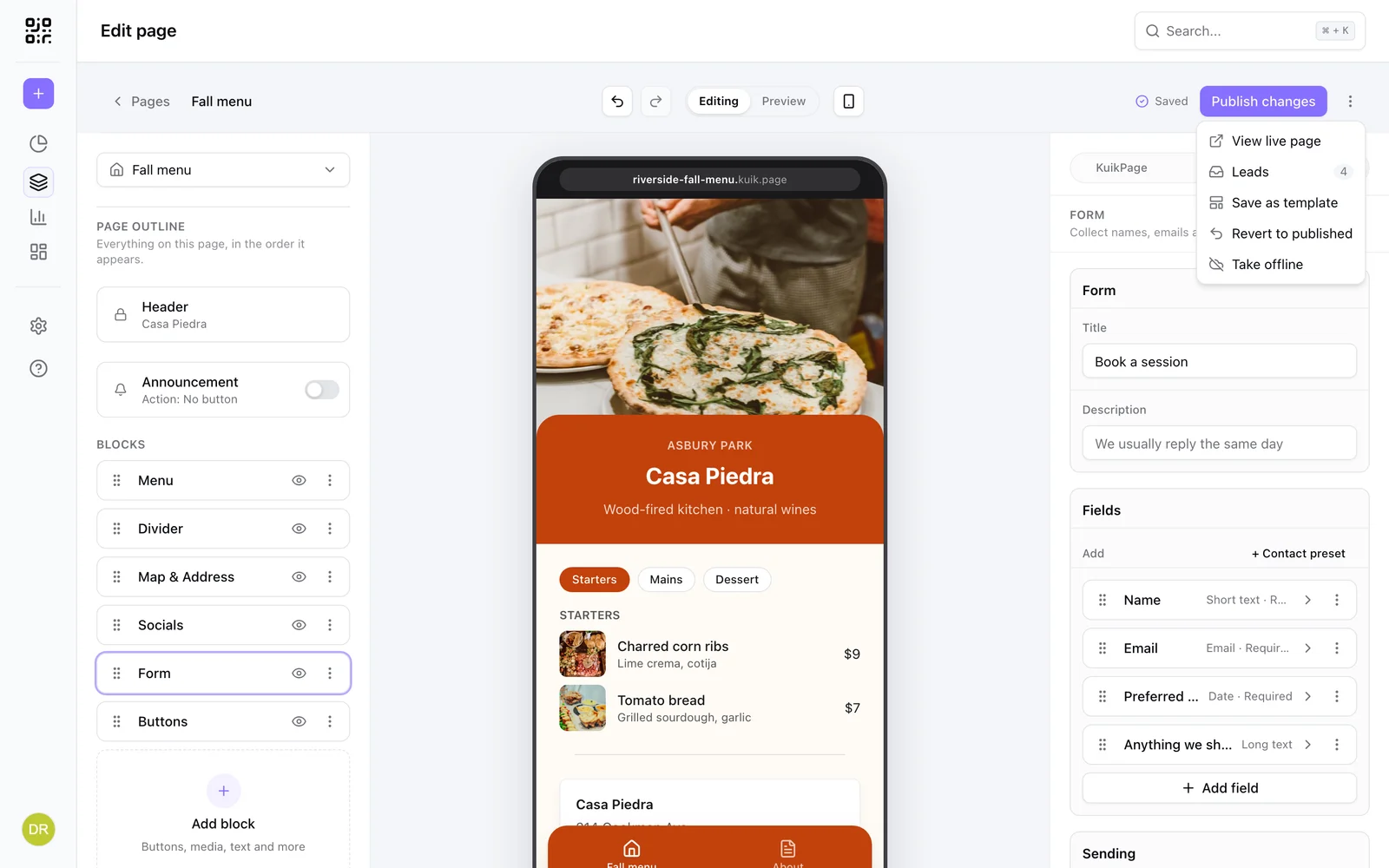
- View live page opens the published address.
- Leads opens the submissions of the page's form, see Forms.
- Save as template keeps the design for future pages under Templates, KuikPages. Every page, the menu and the announcement bar are saved with it, so a multi-page KuikPage becomes a multi-page template.
- Revert to published throws the draft away.
- Take offline unpublishes; the address stops serving until you publish again.
Its KuikCode
Every KuikPage gets its own KuikCode the first time you publish it, so there is always a code to print: a KuikCode that already opens the page becomes its own, otherwise a new one is made, named after the page, with the page's accent color as its dots when that color is dark enough to scan (otherwise near black). A new one counts toward your plan's KuikCodes; at the limit the page publishes without one and you can make it later.
Matching KuikCode
Right after that first publish a window offers Create matching KuikCode: the page's code in the page's own look. It takes the page's colors, turns its Button edge into the code's rim and sets the page's title font on the frame:
- Straight buttons give a square code with an outlined ring around the frame.
- Wavy, Scallop, Zigzag and Torn give a round code with a wavy, scalloped, pinked or stamp rim, each with its own ring or repeating shapes around the frame.
On a dark page the frame takes the page's background color and the code sits on a light tint of the accent; on a light page the frame takes the accent. The dots always stay dark enough to scan. The words start as the page's headline (when it is short) and SCAN ME; change them in the window and the preview redraws. The link stays the same, so copies you already printed keep scanning. Not now keeps the code as it is.
Later, the KuikCode card offers Match this page whenever the code does not wear the page's current look, and the first publish after the look changes offers it once.
Templates with their own KuikCode
Some templates come with a KuikCode designed for them, such as Game Day, Island Tours and Run Club. Preview one and open View QR code in its share sheet to see it. A page made from one of these templates gets that design on its own KuikCode the first time you publish, as long as the page keeps the template's colors, title font and button edge. Change any of those and the page matches in its own look instead, as described above.
While the page still shows the template's starter content, the code keeps the template's words. Once you edit the page, the top text becomes your headline (when it is short) and the bottom keeps the template's call to action. The window that opens right after publishing shows the code with Save KuikCode, so you can change both before you print.
KuikPage settings shows it in a KuikCode card: its preview, its scan link, Edit KuikCode (opens it in the QR editor), Match this page while the code does not match and, when more of your codes open the page, Use another code. The page's own code is the one the share sheet's View QR code shows. A page without one offers Create KuikCode. After you create, match or switch the code, a live page with no unpublished changes is published again by itself so its share sheet shows the code right away; with changes waiting, it updates on your next Publish. Archiving or deleting the page's code is final: publishing never makes it again, and Create KuikCode is there when you want a new one.
Link preview (PRO)
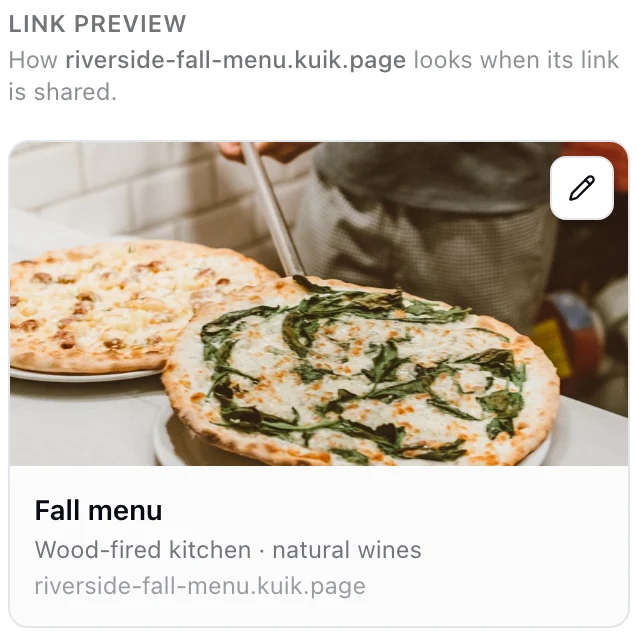
In the Page scope, Link preview shows how the page looks when its link is shared on WhatsApp, X, LinkedIn or Facebook. Empty fields fall back to the page name, intro and first photo; the pencil opens an editor for the image, a title (120 characters) and a description (240), with a tab per platform.
Page analytics
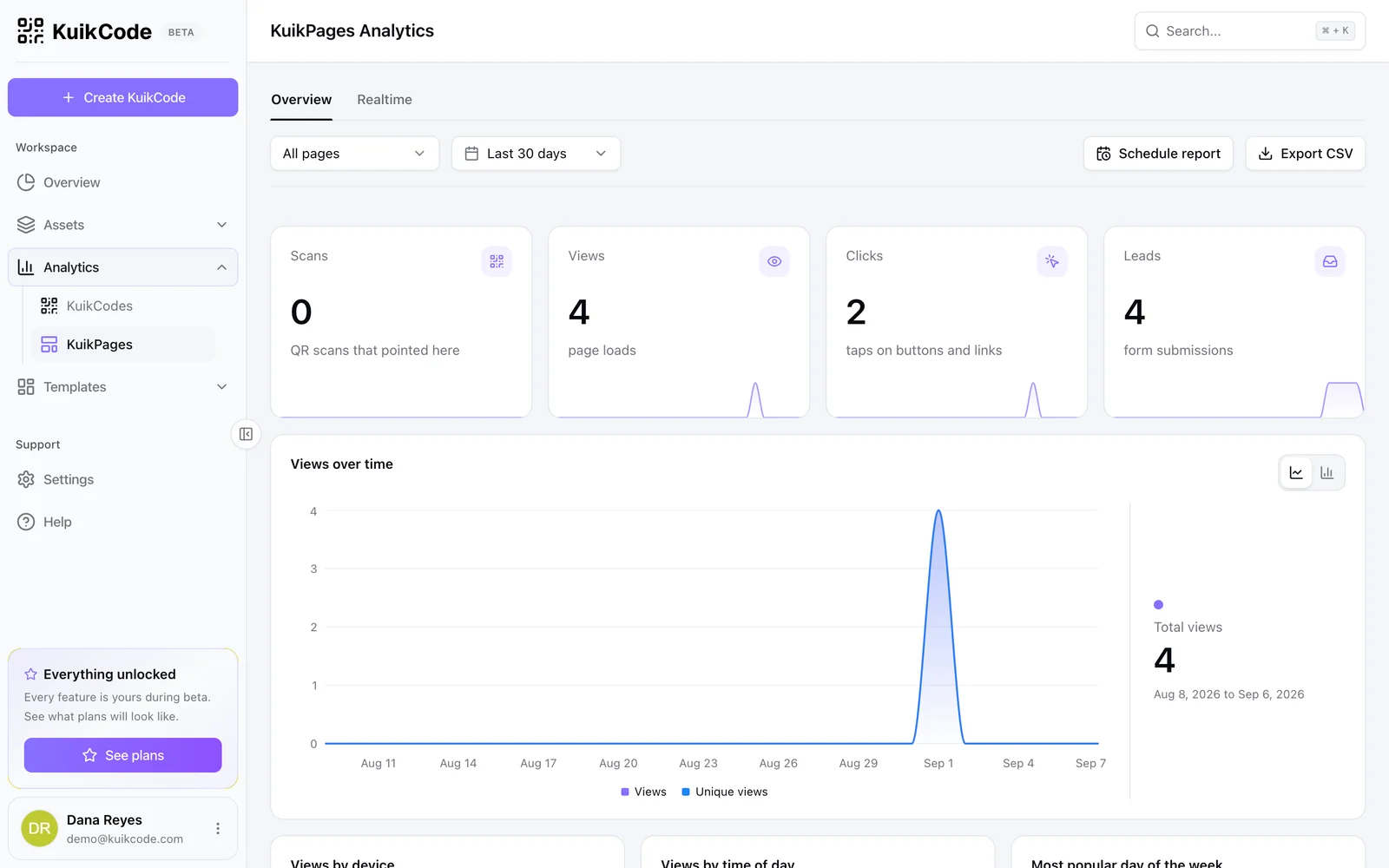
Analytics, KuikPages counts, for every KuikPage, Scans that pointed at it, Views, Clicks on buttons and links, and Leads from forms, with views over time, by device, by time of day, by location and by page, referrers, top UTM campaigns and What gets tapped, a block by block list of clicks with the button text. A Realtime tab shows the last hour.
The badge
Pages published on Core carry a small "Made with KuikCode" footer. PRO and Business pages do not. A page that ends on a Full width photo ends at the photo, and the footer sits on it.