

Reading your scan analytics
Every scan of every code is recorded with its time, place, device and destination. The Analytics page turns them into totals, trends, a map and a leaderboard.
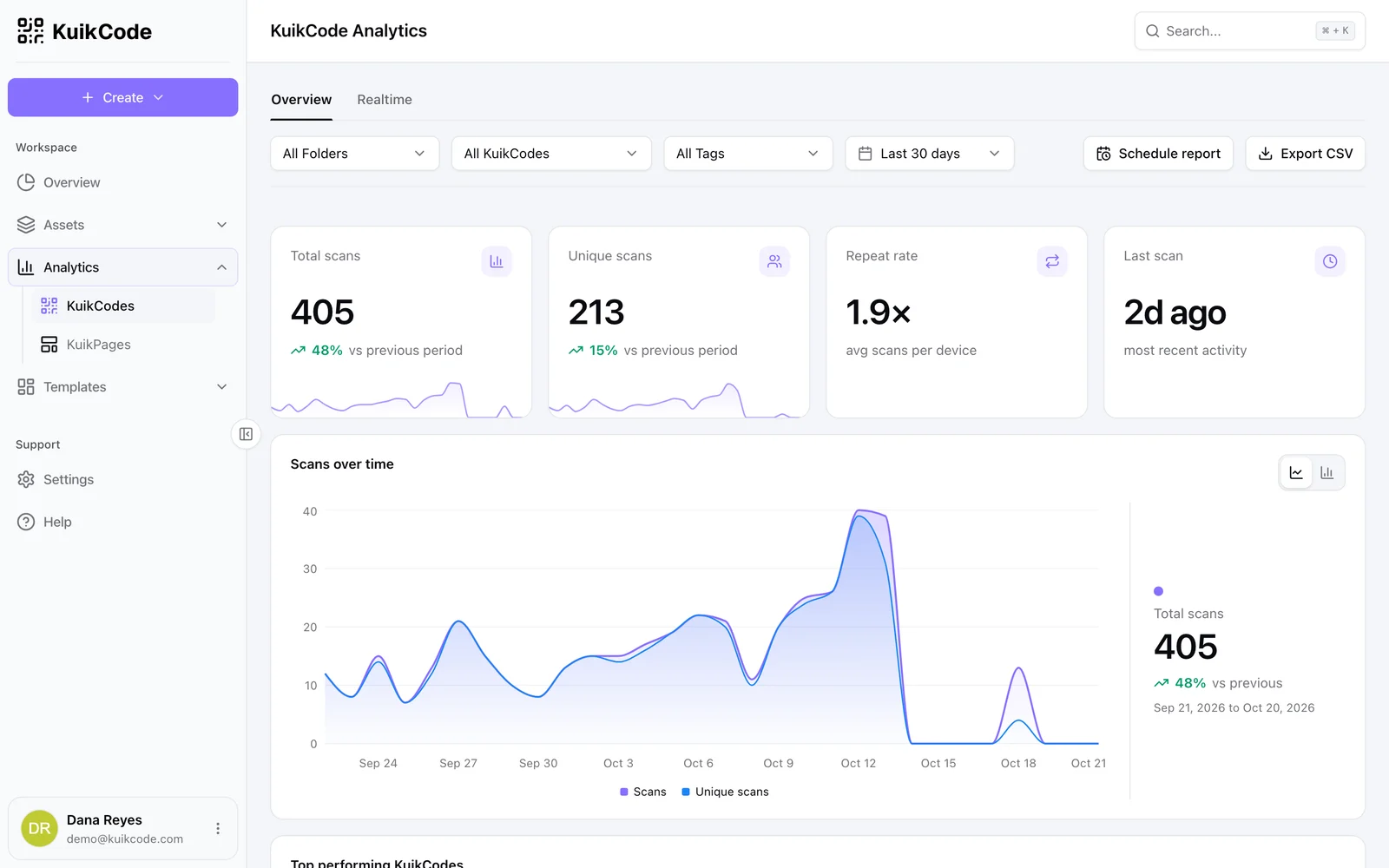
Open Analytics in the sidebar. The page has two tabs, Overview and Realtime, and a toolbar that applies to everything below it: filter by Folders, KuikCodes or Tags, pick a date range, Export CSV, or Schedule report.
The Analytics page
What a scan records
| Field | Notes |
|---|---|
| Time | Stored in UTC, shown in the scanner's local time where it matters |
| Country, region, city | From the network connection, city level |
| Device type, OS, browser, language | From the phone's browser |
| Destination served and matched rule | Which URL the scan was sent to, and which Smart Rule decided it |
| Referrer, time zone | When the browser provides them |
| Precise location | Only with the scanner's consent, see Scan locations |
KuikCode never stores network addresses. Repeat visits are recognised through a one-way hash of the connection and browser, which is what Unique scans counts. Known crawlers and link-preview bots (messaging apps, social networks, uptime monitors) are redirected but not counted.
The Overview tab
- Total scans, Unique scans, Repeat rate (average scans per device) and Last scan, each compared with the previous period of the same length.
- Scans over time, as bars or a line, hourly for short ranges and daily beyond.
- Top performing KuikCodes, with lifetime scans, scans in the period, last scan, share of scans and change. Each row can jump to the editor or filter the whole page to that code.
- Top destinations (with the Smart Rule that chose them) and Top tags.
- Scans by device, Scans by time of day as a weekday by hour grid in each scan's local time, plus the Popular day and Popular hour.
- Scans by Location: a map with city-level circles, exact pins where scanners shared their location, and a top-five list of Cities, States and Countries.
An empty workspace can Preview with sample data to see what the page looks like once codes are printed.
Date ranges
Presets run from Last 24 hours to All Time, with month, quarter and year to date, and a two-month calendar for custom ranges. Each preset has a keyboard shortcut shown in the picker.
Plans differ in how far back they look: Basic shows the last 90 days, Core the last year, and PRO and Business the full history. Older scans are never deleted, so upgrading reveals them. The same window applies to the Pages tab, CSV exports, the API and the MCP server.
Scans are counted on every plan with no per-code cap.