

Tracking and advanced settings
Access codes, UTM parameters, precise scan locations, analytics forwarding and webhooks, per code.
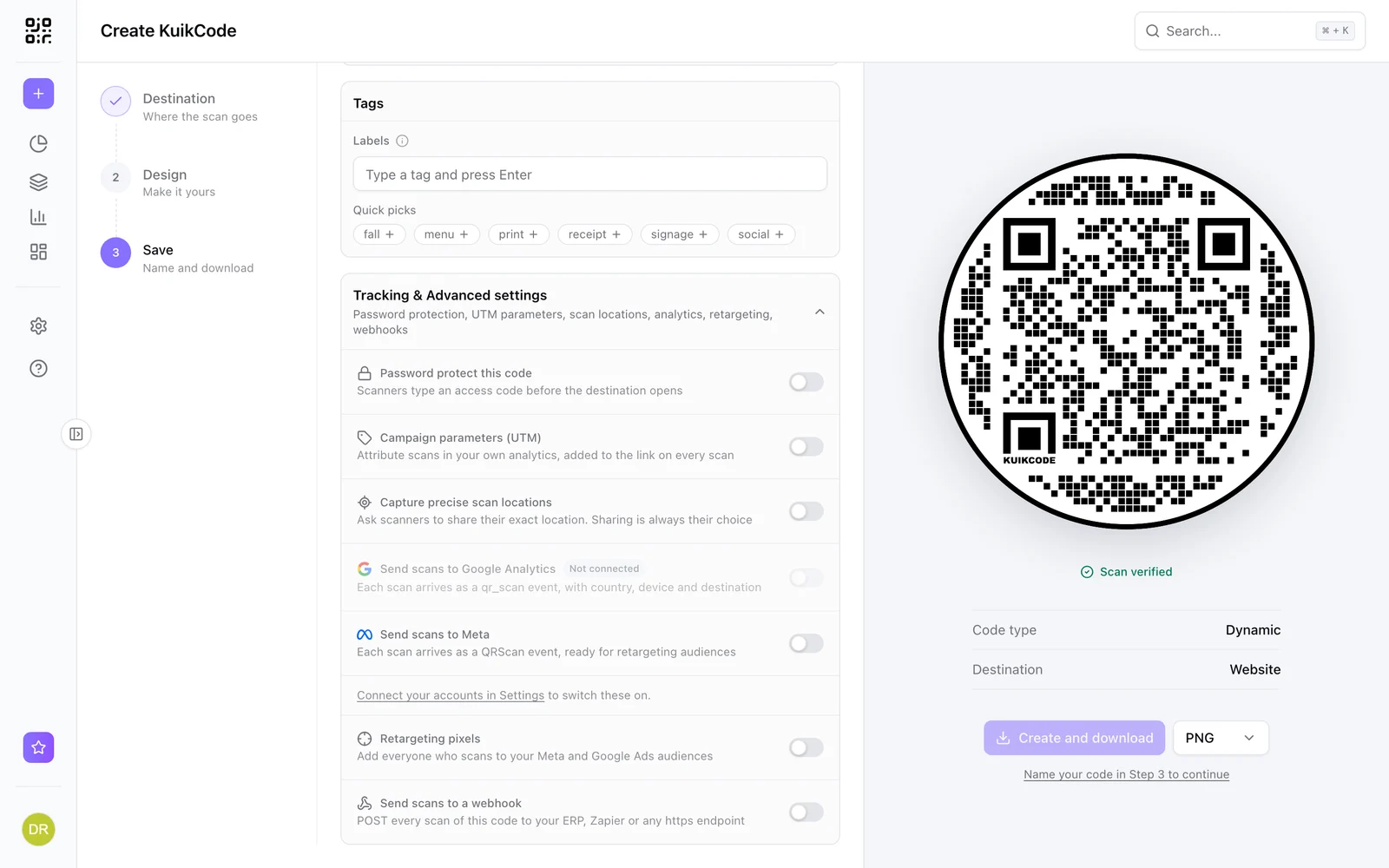
Advanced sits at the bottom of Step 3, collapsed until you need it. Once anything is set, its subtitle lists what is in use (for example In use: password, UTM) and it opens by itself. Everything here applies to one code. The tracking options are not shown for vCard and Event destinations, which serve their own pages.
Password protect this code (PRO)
Scanners type an access code before the destination opens. Set it once; it is never shown again in the dashboard, only a Protected state. Replace or remove it any time. Useful for menus behind a paywall, internal documents on a poster, or a promotion for members only.
Campaign parameters, UTM (Core and up)
Source, Medium, Campaign, Term and Content are appended to the destination on every scan, so your own analytics can attribute traffic to the printed piece. Parameters already in the destination URL are left alone. Available for website, file, hosted site, geolocation, Smart Rules and GS1 destinations. A common pattern: source qr, medium print, campaign per print run.
Capture precise scan locations (PRO)
Asks each scanner whether to share their exact position, and shows the answers as pins in analytics. Sharing is always optional; declining still opens the destination. Details in Precise scan locations.
Send scans to Google Analytics and Meta (PRO)
Each scan is forwarded server side as a qr_scan event to your GA4 property or a QRScan event to your Meta pixel, with country, device and destination. Connect the accounts once under Settings, Integrations; until then the rows read Not connected. See Analytics integrations.
Retargeting pixels (Business)
Scans pass through a brief page that fires your Meta Pixel and Google Ads tag before the destination opens, so scanners join your ad audiences. Visitors in the EU, UK and Switzerland are asked first, and their answer is remembered. Connect the accounts under Settings, Integrations first. See Retargeting pixels.
Send scans to a webhook (Business)
Every scan of this code is posted as JSON to an https endpoint of yours, signed with a secret. Save the code first, then Copy secret and Send test appear; the test fires a sample event at the saved URL and reports the status your server returned. Payload and verification are in Scan webhooks.