

Destinations
What a scan can open, and why the artwork never has to change when you change your mind.
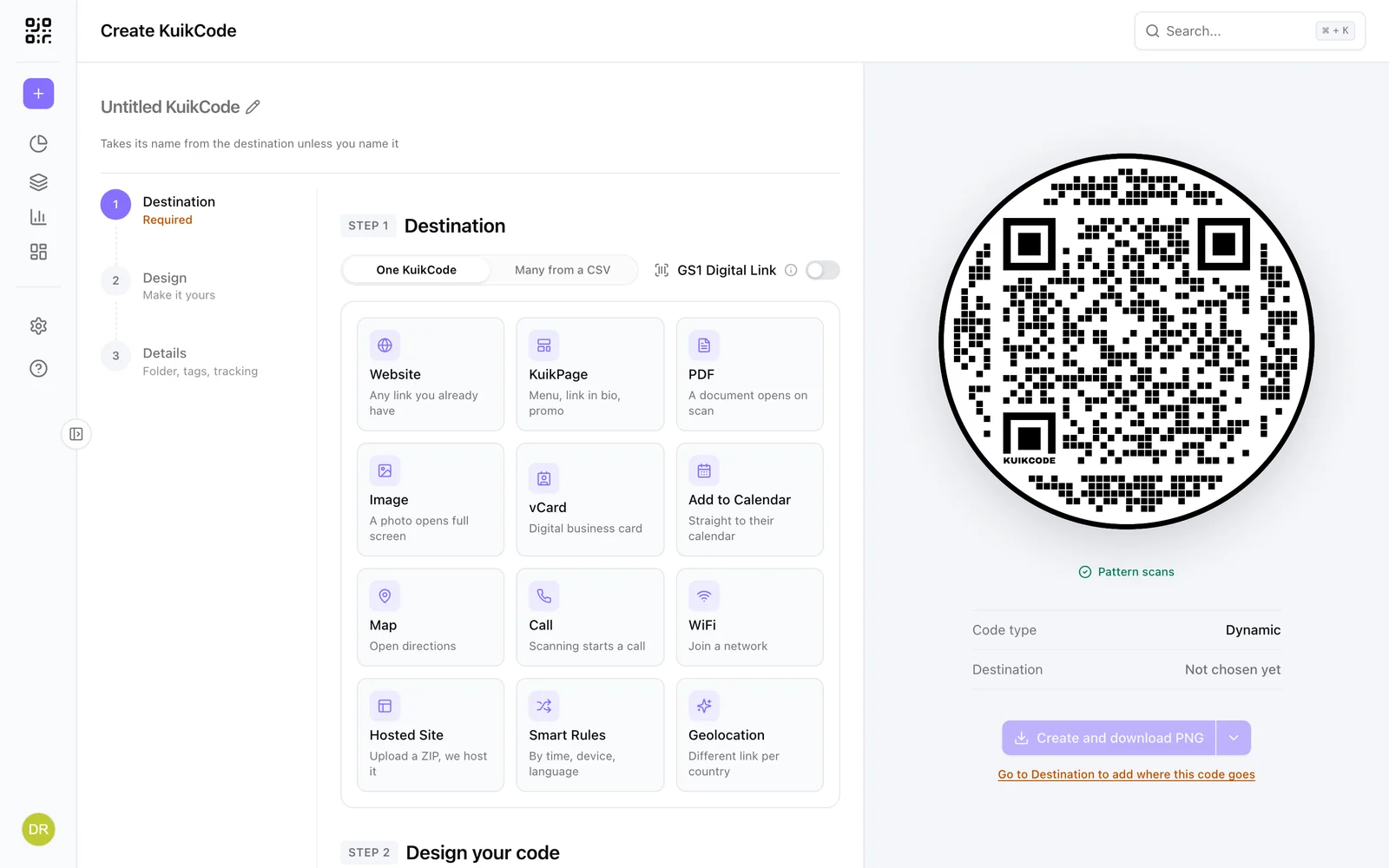
Every KuikCode starts with a destination, chosen in Step 1 of the editor. Pick the card that matches the job; the form for that destination appears underneath, and the preview on the right starts drawing the code straight away.
Dynamic by design
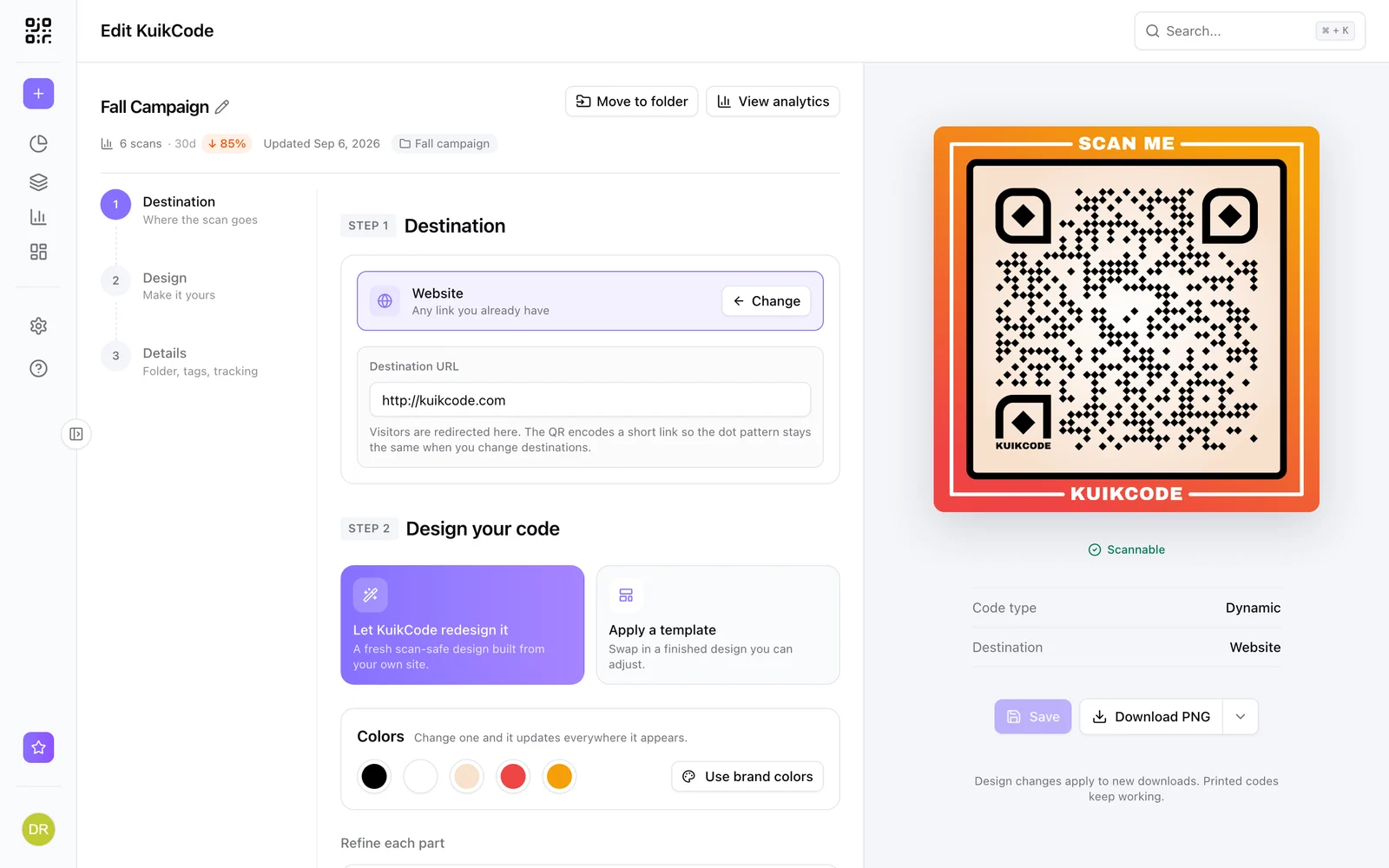
A KuikCode does not encode your destination. It encodes a short scan link, kuikco.de/p/ followed by a nine-character id, or the same id on your own branded host. When a phone scans it, KuikCode looks up the current destination and redirects. Edit the destination as often as you like: the dot pattern, and everything you printed, keeps working. The same link is what records the scan for analytics, applies UTM parameters, asks for an access code, and evaluates Smart Rules.
The one exception is WiFi, which is a static code: the network name and password are written into the pattern itself so a phone can join without internet access. Static codes cannot be edited after printing and record no scans. The preview shows Code type: Dynamic or Static so you always know which one you are printing.
Destination types
| Destination | What a scan does | Plan |
|---|---|---|
| Website | Opens any URL | All |
| KuikPage | Opens a landing page built in KuikCode, see KuikPages | Core and up |
| Hosted Site | Opens a static site you uploaded as a ZIP, hosted on kuik.page | Core and up |
| Opens a landing page with a preview and a button to the PDF, or the PDF itself | All | |
| Image | Opens a landing page with the image, or a swipe gallery of up to 10 (PRO) | All |
| vCard | Shows a digital business card with a save-to-contacts button | All |
| Add to Calendar | Shows the event and adds it to the phone's calendar | All |
| Map | Opens directions in Google Maps to an address you pick on a map | All |
| Call | Starts a phone call to the number, country code included | All |
| WiFi | Joins a network, static code | All |
| Geolocation | Sends visitors to a different link per country or US state | PRO |
| Smart Rules | Routes by time, device, language, distance and more, see Smart rules | PRO |
| GS1 Digital Link | A retail barcode and a web link in one code, see GS1 Digital Link | Business |
Geolocation and Smart Rules can be set up on any plan to try them; the plan column is what saving the code needs.
Each destination in detail
Website
The default. Type or paste any http or https link into Destination URL; a bare domain like riversidecoffee.com is completed to https when you leave the field. Anything that isn't a web address (a space in it, no ending like .com) is flagged under the field, and the code can't be created until it's fixed. Everything else about the code, UTM parameters included, applies on top. The visitor lands on the page directly.
KuikPage
Pick one of your KuikPages from the list (or create one first). The code follows the page's address, custom domain included, and stays valid if you later rename the page's slug or connect a domain. Scans, views, clicks and leads of that page appear together under Analytics, KuikPages. See KuikPages.
Hosted Site
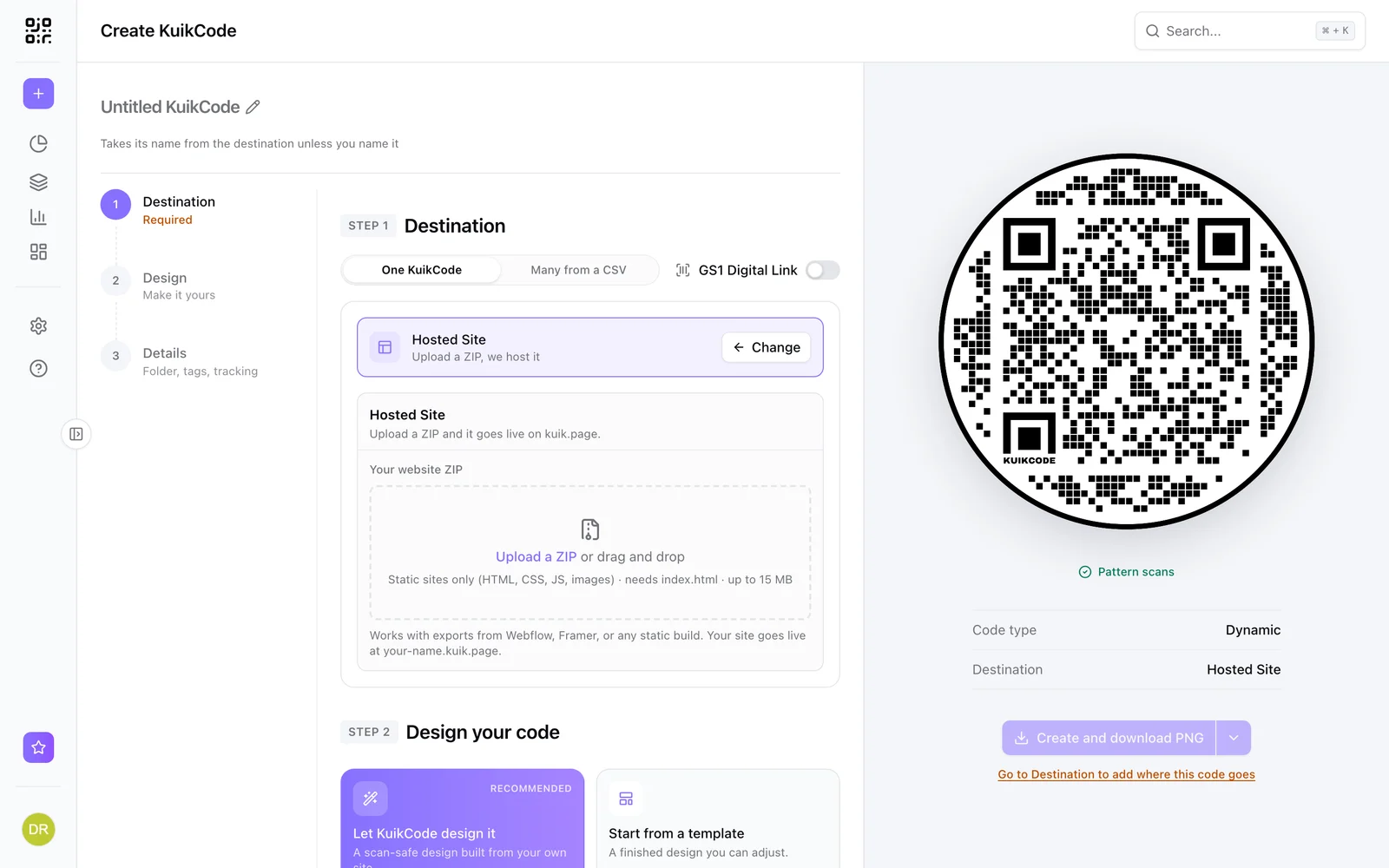
Drop a ZIP of a static website (an export from Webflow, Framer, a generator, or hand-written HTML) and give it a Site name: that becomes your-name.kuik.page. The upload is checked before it goes live, up to 15 MB and 300 files. Redeploy a new ZIP later from Assets, Sites. See Hosted sites.
Show a PDF and Show an Image
Upload a file or Choose from library. Images can be cropped in place. Files are served by KuikCode, so there is nothing to host. Both accept one file per language: add rows for English, Spanish, French and so on, and the scanner's phone language picks the version. Because that is routing, multilingual files count as Smart Rules for plan purposes.
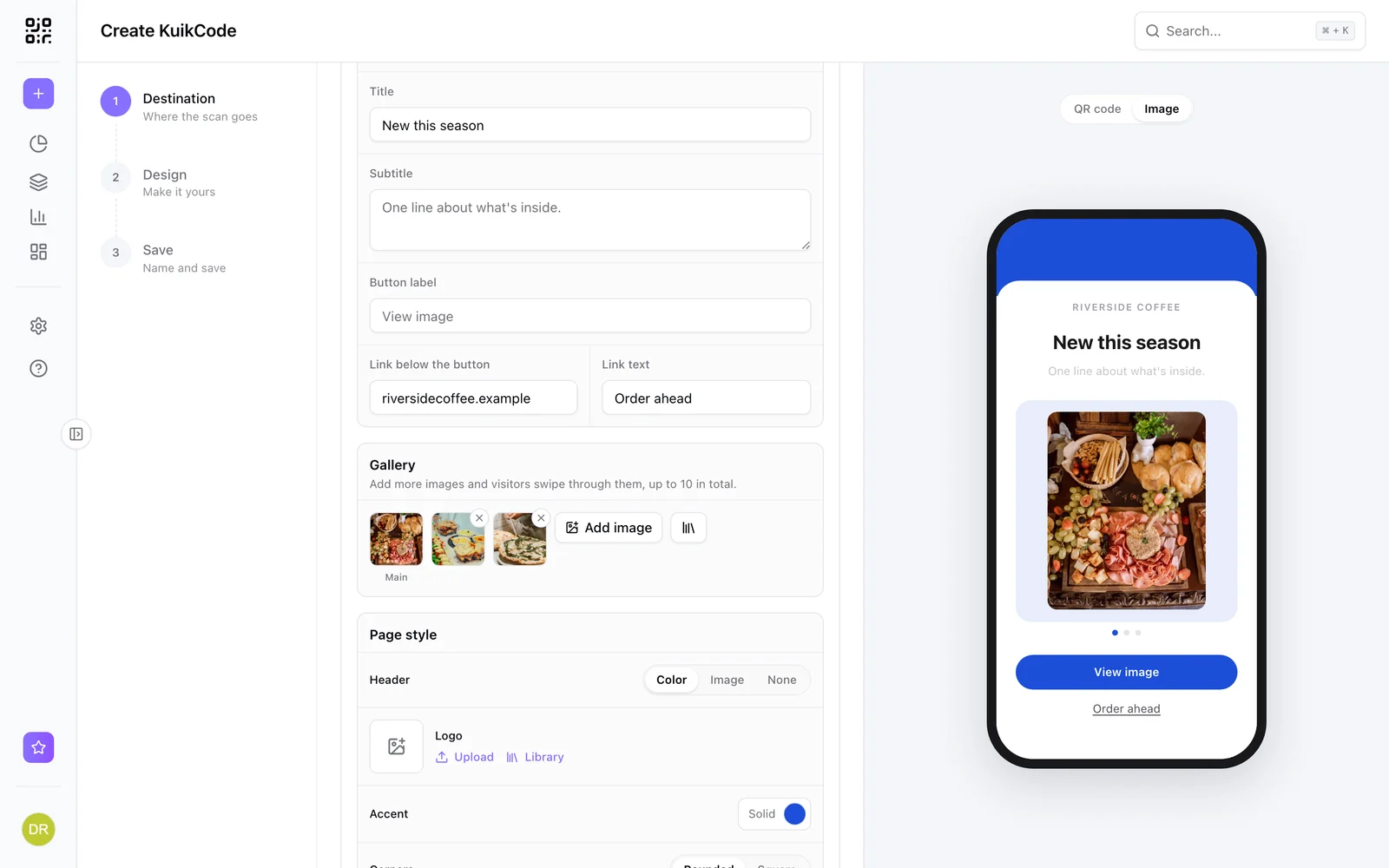
Landing page is on for new codes. Instead of dropping the visitor into a raw file, the scan opens a short page: your company or brand name, a Title, a Subtitle, a preview, a button to the file (See PDF or View image unless you write your own label) and an optional link underneath, for example to your website. Empty fields fall back to sensible defaults, and the title falls back to the code's name. Page style sets the Header (a band in your accent color, a photo, or none), an optional Logo (with Use brand logo when your Brand Kit has one), the accent color (your Brand Kit colors are in the picker) and rounded or square corners. The preview above the code switches to the page as soon as you pick PDF or Image, and you can flip back to KuikCode at any time.
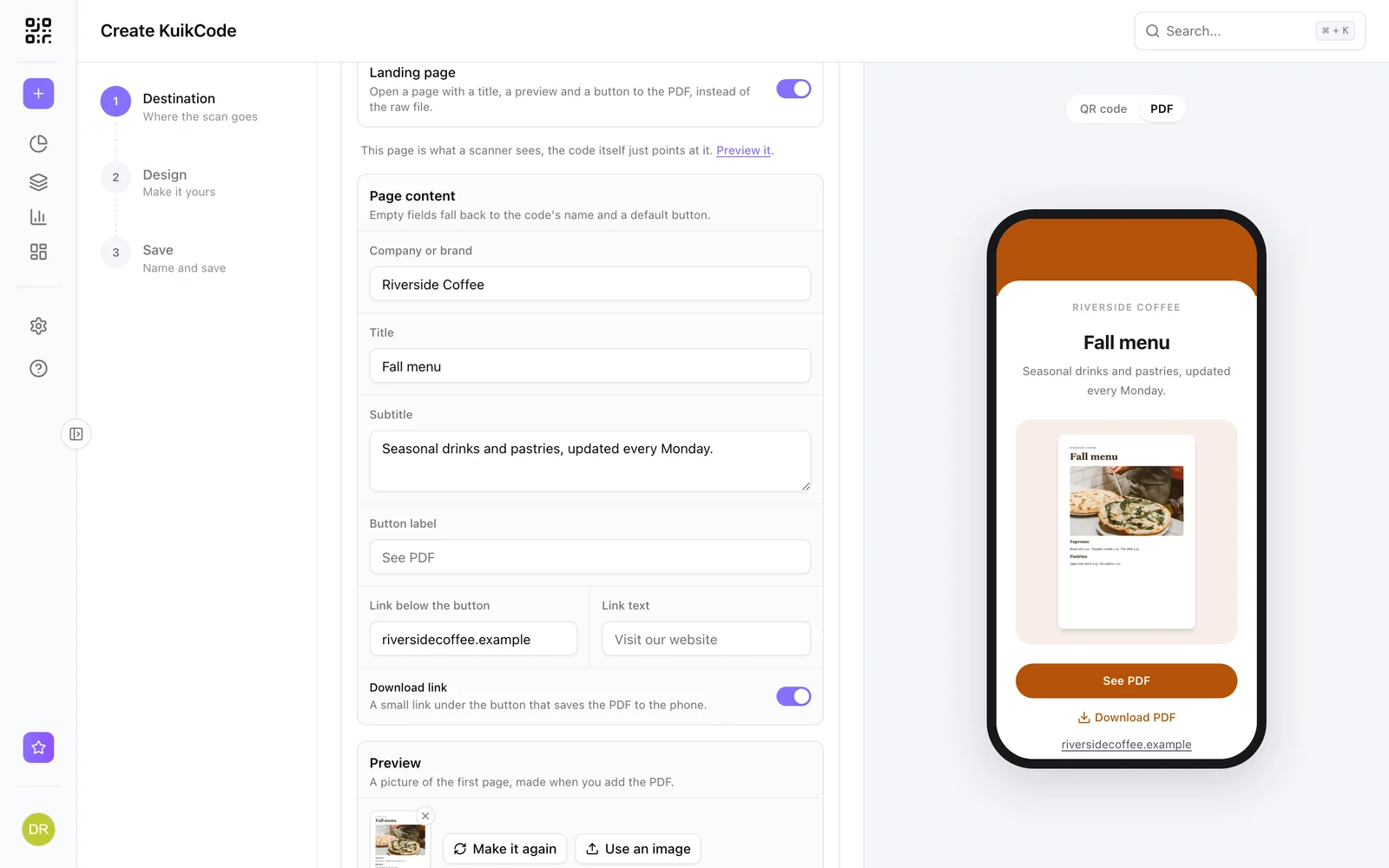
- PDF preview. A picture of the first page is made when you add the PDF. Make it again after you replace the file, or Use an image to show something else.
- Download link (PDF). On by default: a small Download PDF link under the button saves the file to the phone instead of opening it.
- Image gallery (PRO). Add more images and visitors swipe through them, up to 10 in total. The button opens whichever image is showing.
Switch Landing page off and the scan opens the file directly, the way codes made before the landing page still do.
Need more than one file, or a fully designed page? Build a KuikPage at the bottom of the form creates a KuikPage from a matching template (carrying your PDF) and points the code at it. vCard and Add to Calendar offer the same shortcut.
vCard
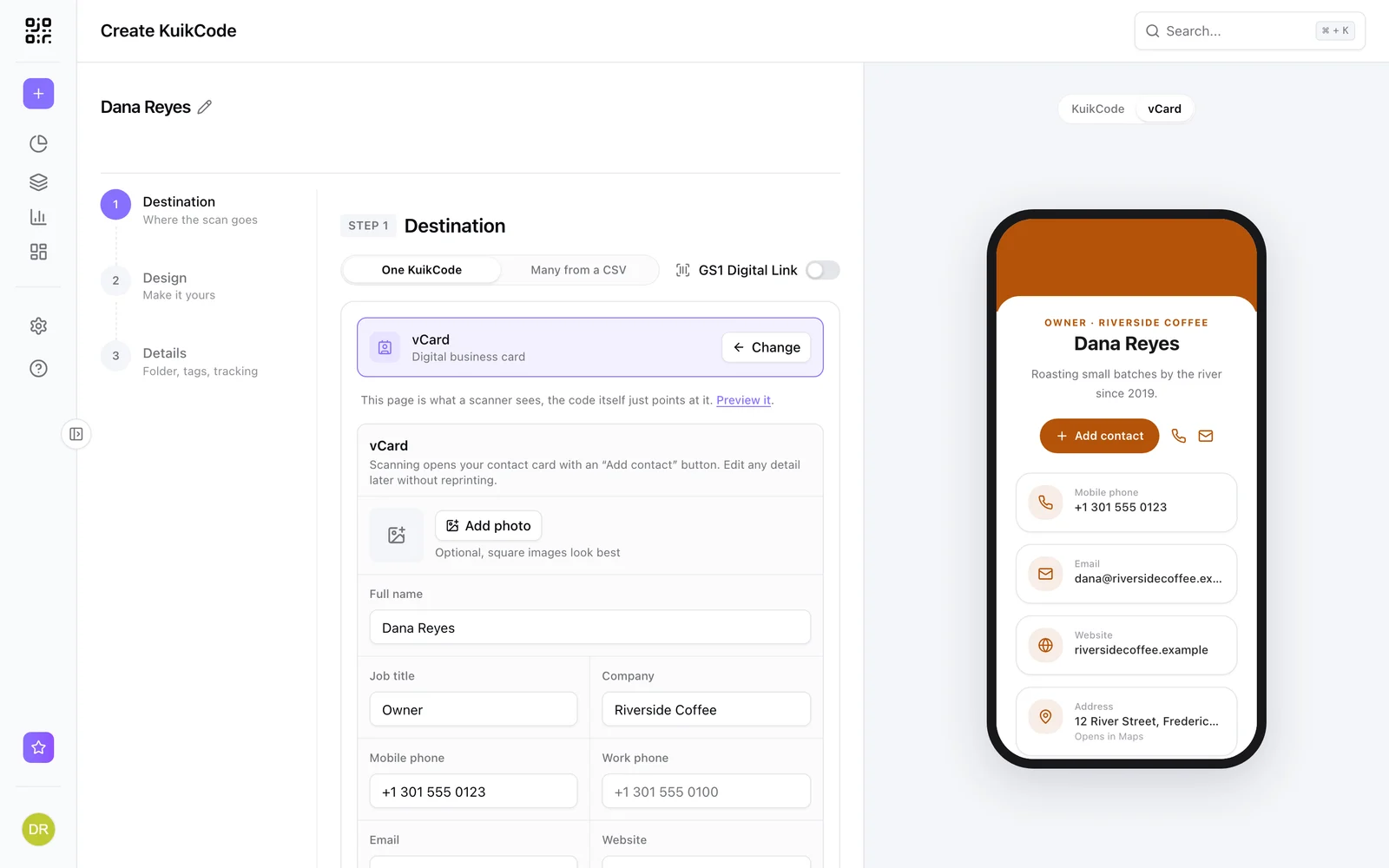
A digital business card. Fields: Full name, Job title, Company, Mobile phone, Work phone, Email, Website, Address, an About line, a Profile photo (square looks best) and Social links, one button per network (Instagram, LinkedIn, Facebook, TikTok, YouTube, WhatsApp, website). Card style sets the accent color and the corners. A scan shows the card with a save-to-contacts button; the contact file is generated from the current fields, so the card can be updated after the business cards are printed.
Add to Calendar (Event)
An event page: Event name, Starts, Ends, Timezone, Venue, Address, Description, an RSVP or tickets link and a cover image (wide looks best), with Page style for accent and corners. A scan shows the event and adds it to the phone's calendar through a generated calendar file. Move the date and every printed invitation follows.
Map Location
Search Address or place name, or type Latitude and Longitude, and drop the pin. Scanning opens directions to that point in the phone's maps app.
Call a Number
A Phone number in international format, country code included. Scanning opens the phone dialer with the number ready. Change the number any time without reprinting.
WiFi
Name (SSID), Security (WPA/WPA2/WPA3, WEP or no password) and Password. This is the one static destination: the details are written into the pattern so a phone can join with no internet access. Nothing can be edited after printing and no scans are recorded; the preview says Code type: Static to make that clear.
Geolocation (PRO)
A Default URL plus Region rules: each rule names a Country, optionally a State for the United States, and the URL for visitors from there. Simpler than Smart Rules when the only question is where the scanner is.
Smart Rules (PRO)
Route by time, date, day, country, language, operating system, distance from a point or how often the code has been scanned, with a fallback for everyone else. See Smart rules.
GS1 Digital Link (Business)
Not a card but the switch above them: the code carries a product's GTIN for retail scanners and opens a web destination on phones. See GS1 Digital Link.
Unsafe destinations
Every link a code can send a scan to (the main website, the fallback, smart-rule and language links, an event's RSVP link) is checked the first time it is saved. KuikCode follows the link's redirects to see where a scan really lands, and checks both addresses against Google's list of phishing and malware sites. A flagged destination can't be saved. Links to an IP address, or with a user name before the address (https://brand.com@other.site), are refused too. If you think a link was flagged by mistake, email abuse@kuikcode.com.
Editing a code later
Open a code from Assets, KuikCodes. The editor shows the code's name, scan count for the last 30 days with the change against the previous 30, when it was last updated and its folder, plus Move to folder and View analytics. Change the destination in Step 1, or the design in Step 2, and Save, which turns on once something has changed and shows Unsaved changes under it until you do. Renaming the code (click its name) and Move to folder save on the spot. Use Download when you need new artwork. Printed copies follow within a minute. You can also switch destination type entirely, for example from a PDF to a KuikPage.
Archiving
Archive a code you no longer need from its card menu. Its scans then show a neutral "This code is no longer active" page, its slot in your plan is freed, and its analytics stay readable. Unarchive at any time from the Archived tab.